
Lifting Gear and Inspection Register
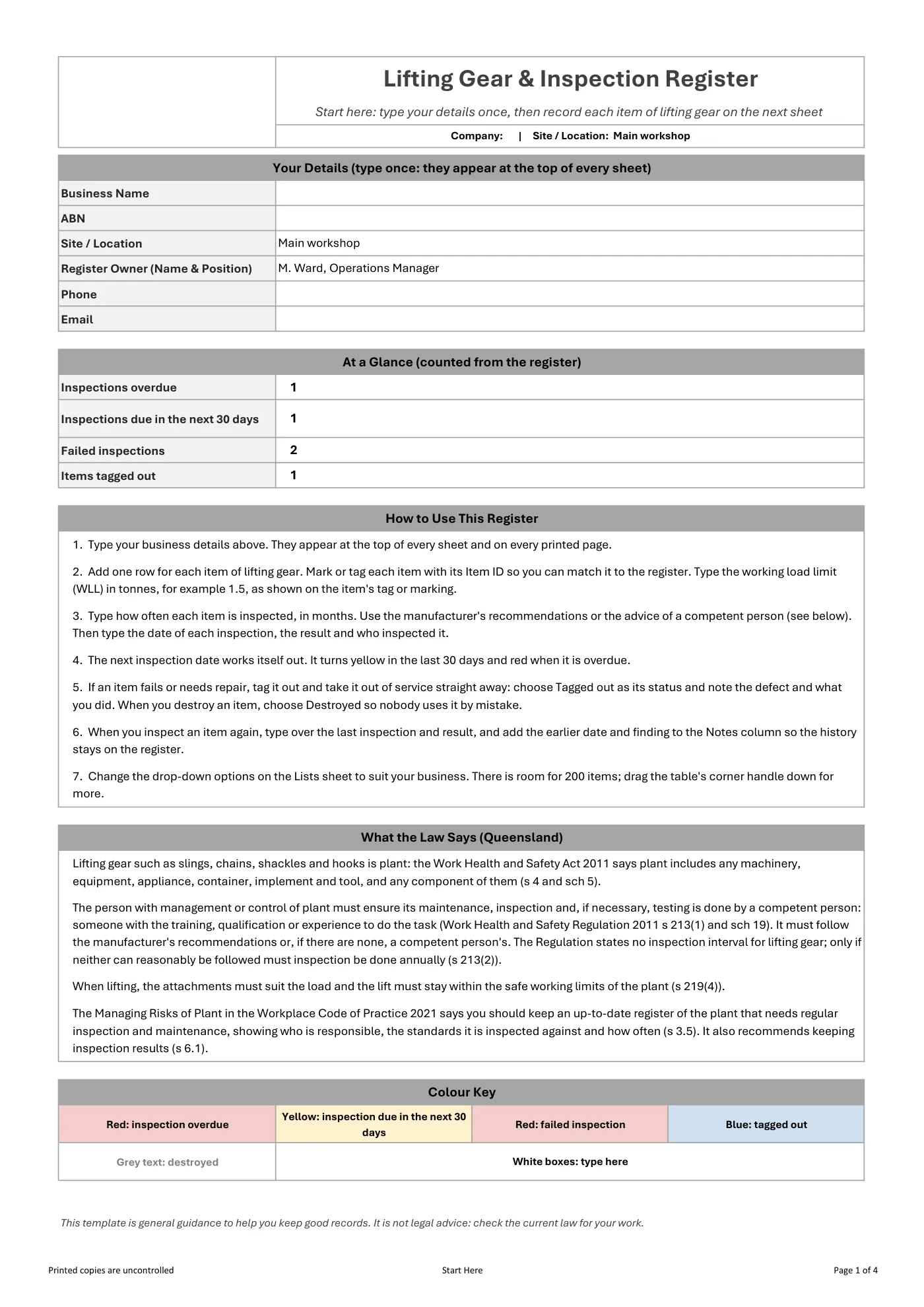
Free Excel lifting gear register for Queensland workplaces: record every sling, chain, shackle and hook, its working load limit and each inspection, with overdue inspections and tagged-out gear highlighted.
RG
Written by Ryan Graham, health and safety professional (16 years on Queensland sites)
Free
No payment needed · instant download
- Instant download · it appears as soon as you send the form
- Make it yours in minutes · edit in Microsoft Excel and add your logo
- If it has a fault · tell us and we'll fix it
- No card needed · free to download, with no payment details asked for
About this template
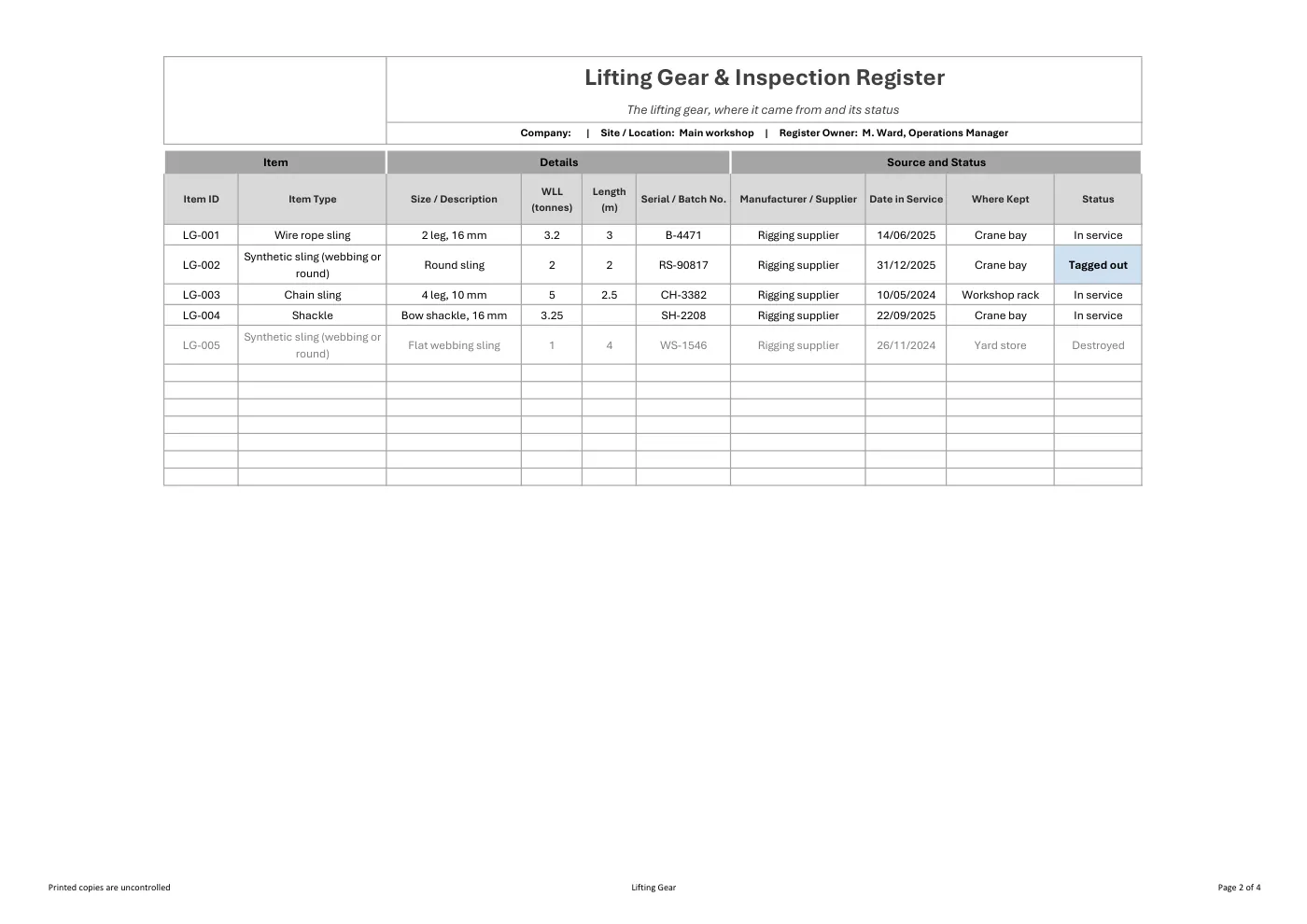
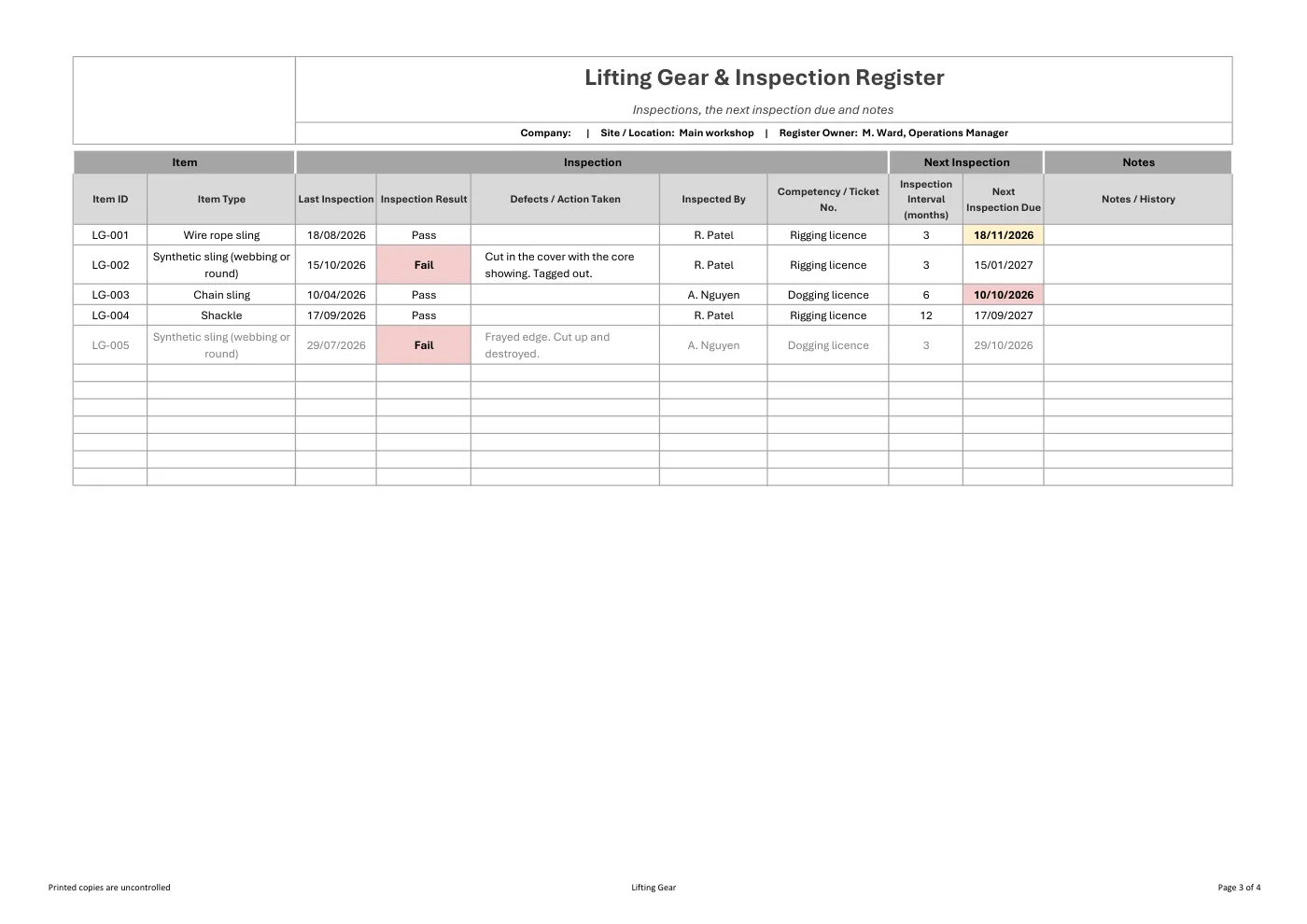
A free Excel register for the lifting gear you own or hire: slings, chains, shackles, hooks and other lifting attachments. Record each item’s ID, type, size, working load limit, serial or batch number and where it is kept, then each inspection, its result and who inspected it. The next inspection date works itself out from the interval you set, and gear that fails or is tagged out stands out so nobody uses it by mistake.
Use it with our Plant & Equipment Maintenance Policy & Procedure, Plant Risk Assessment Form.
What is included in our lifting gear & inspection register?
- A Start Here sheet: type your business details once and they appear on every sheet and every printed page
- Item details: item ID, type, size or description, working load limit in tonnes, length and serial or batch number
- Manufacturer or supplier, date in service, where the item is kept and its status
- Inspection records: last inspection, result, defects and action taken, who inspected it and their competency
- An inspection interval you set and an automatic next inspection date
- Overdue inspections in red and inspections due in the next 30 days in yellow; failed and tagged-out gear highlighted, destroyed gear greyed out
- A plain-English summary of the Queensland plant inspection rules
Legislation and codes of practice referenced
- Work Health and Safety Act 2011 (Qld): s 4 and sch 5 (meaning of plant)
- Work Health and Safety Regulation 2011 (Qld): s 213 and sch 19 (maintenance, inspection and testing by a competent person), s 219 (lifting and suspending loads)
- Managing Risks of Plant in the Workplace Code of Practice 2021
What you get
- An editable Microsoft Excel workbook with no macros
- Drop-down lists, frozen headings, automatic next inspection dates and colour highlighting
- Room for 200 items, with more rows when you need them
- Print-ready pages: the header, item ID and item type repeat on every printed page
- Drop-down options you can change on the Lists sheet to suit your business
Review it and adjust it to suit your business, your sites and the way your team works, and talk it through with your workers.
Having trouble with your download? Contact us any time. Please read our Disclaimer before downloading.
How to use it
From download to site in three steps
Fill in the form and download
Enter your name and email. Your download buttons appear straight away and the links are emailed to you.
Make it yours
Open it in Microsoft Word or Excel. Add your logo, business details, site and job information, and adjust it to how the work is done.
Brief your crew
Talk it through with the workers doing the job, have them sign on, and keep it on site. Review it whenever the job or conditions change.
What format is it?
Microsoft Excel. Edit it in Excel, or free in Excel for the web, and add your own logo and business details.
How do I get it?
Fill in your name and email on this page. Your download buttons appear as soon as you send the form, and the links are emailed to you. You can download it again from your account at any time.
Is it compliant with Queensland law?
It's written around Queensland's Work Health and Safety Act 2011 and Regulation 2011. Tailor it to your site, consult your workers and review it whenever conditions change; no template can guarantee compliance on its own.
What if it isn't right for my job?
Check the sample pages first. If the template has a fault or doesn't match its description, tell us and we'll fix it. Every template is a starting point that you tailor to your own work.
Only logged in customers who have purchased this product may leave a review.
Reviews