
Contractor & Visitor Sign-In Register
Editable Excel sign-in register for Queensland workplaces: log contractors and visitors in and out, record induction, and print an on-site-now list for evacuation headcounts.
RG
Written by Ryan Graham, health and safety professional (16 years on Queensland sites)
$4.99 incl. GST
AUD · one-off purchase · instant download
- Instant download · your links arrive by email straight after checkout
- Make it yours in minutes · edit in Microsoft Word or Excel and add your logo
- Quality guarantee · we'll fix it or refund you if it isn't as described
- Secure checkout · card, Apple Pay or Google Pay through Stripe
Bundles
Bundles that include this template
About this template
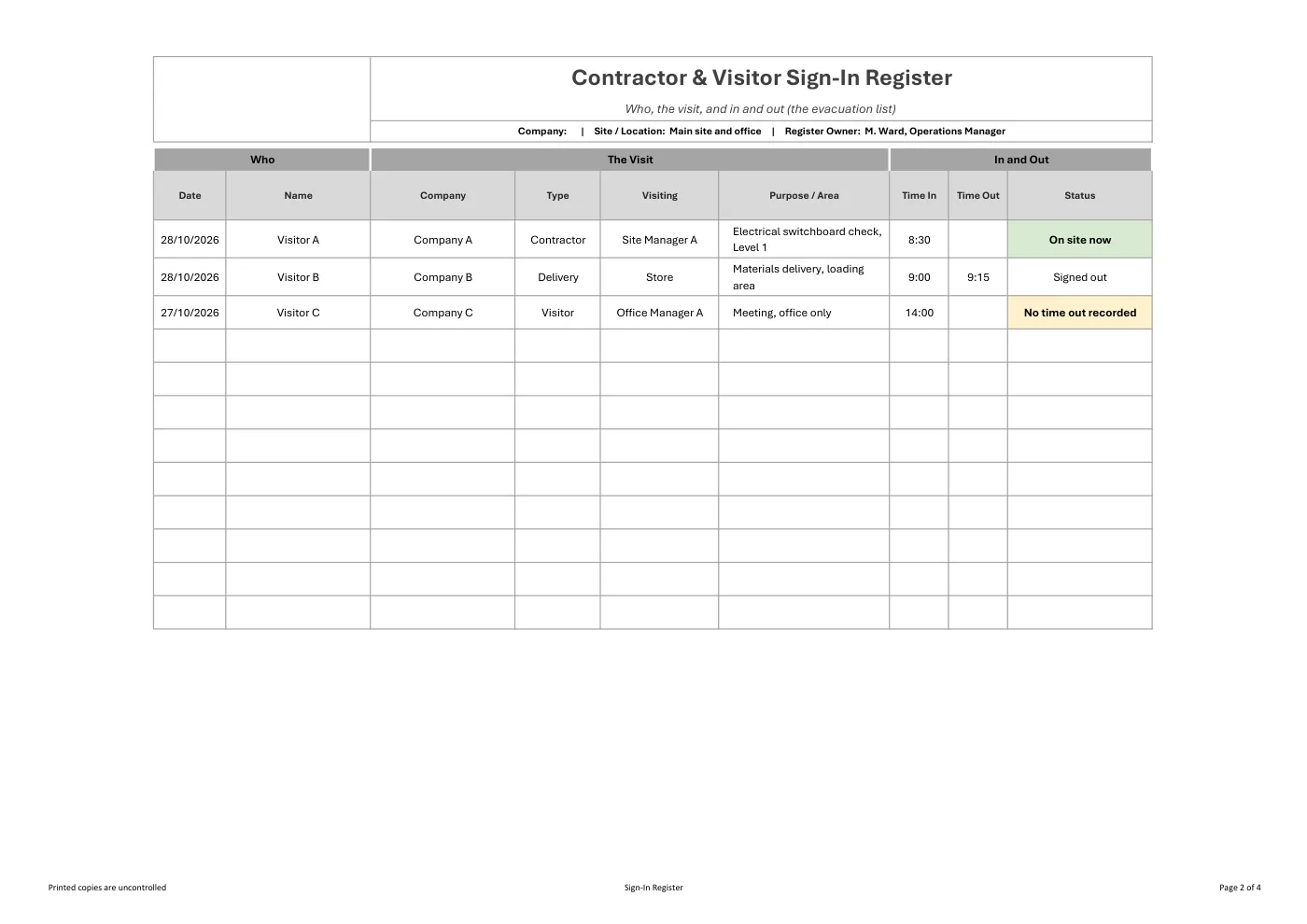
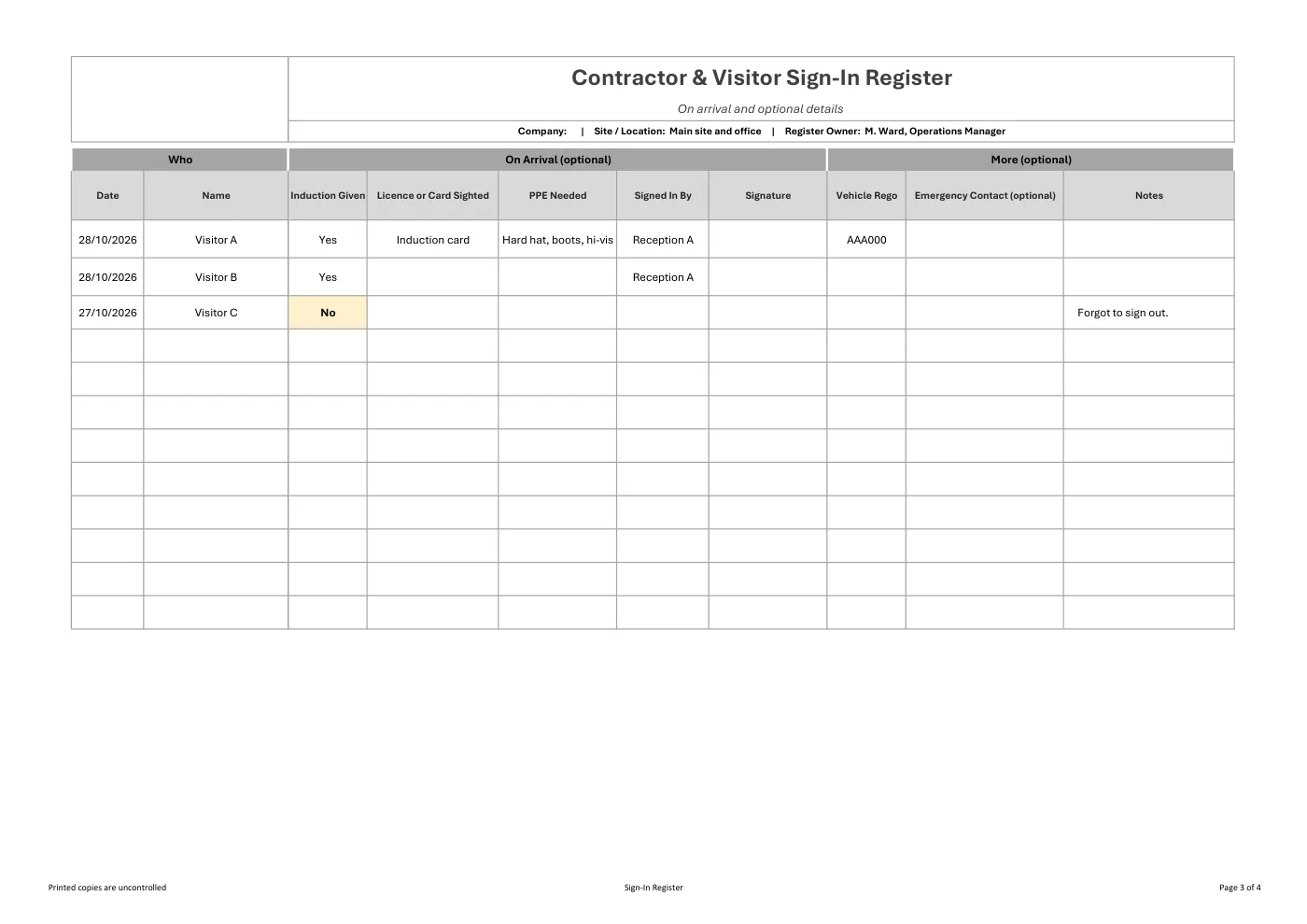
An editable Excel register for signing contractors and visitors in and out at your workplace. Sign someone in with their name, company, who they are visiting and the time in, then add the time out when they leave. A status column shows who is on site now, so you can print a list for an evacuation headcount. Induction, licence sighted, PPE and vehicle details are optional. The law does not require most workplaces to keep a sign-in register: it helps you show you have met the duties that do exist.
What Is Included In Our Contractor & Visitor Sign-In Register?
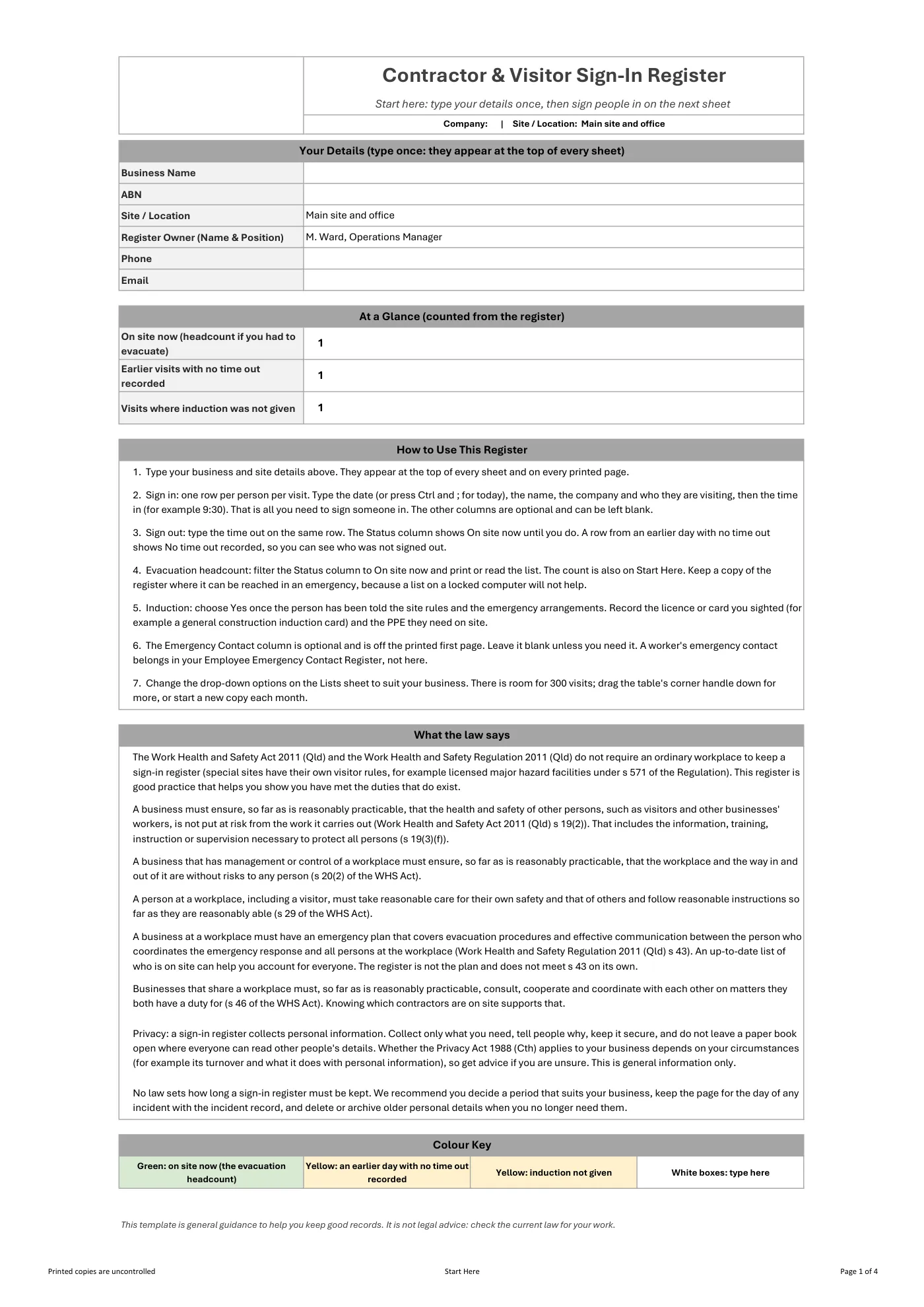
- A Start Here sheet: type your details once and they appear on every sheet and printed page
- One row per person per visit: date, name, company, type, who they are visiting and the purpose or area
- Time in and time out, with a status that shows who is on site now
- An on-site-now count and a filtered list you can print for an evacuation headcount
- Optional columns for induction given, licence or card sighted, PPE needed, signature and vehicle
- An optional emergency contact column, kept off the first printed page for privacy
- A plain-English summary of the duties to other people at a workplace, the emergency plan link and a privacy note
Legislation and Codes of Practice Referenced
- Work Health and Safety Act 2011 (Qld): s 19(2) and (3)(f) (duties to other persons), s 20(2) (management or control of a workplace), s 29 (duties of other persons at the workplace), s 46 (consult, cooperate and coordinate)
- Work Health and Safety Regulation 2011 (Qld): s 43 (emergency plan, including evacuation procedures)
- Privacy Act 1988 (Cth): s 6D (small business), general information only
What You Get
- An editable Microsoft Excel workbook with no macros
- Drop-down lists, frozen headings, an automatic on-site status and colour highlighting
- Room for 300 visits, with more rows when you need them
- Print-ready pages with the date and name repeated on every printed page
- Drop-down options you can change on the Lists sheet to suit your business
Review it and adjust it to suit your business, your sites and the way your team works, and talk it through with your workers. If you have any trouble downloading this template, you can contact us at any time. Please make sure you read our Disclaimer before downloading.
How to use it
From download to site in three steps
Buy and download
Check out with card, Apple Pay or Google Pay. Your download buttons appear straight away and the links are emailed to you.
Make it yours
Open it in Microsoft Word or Excel. Add your logo, business details, site and job information, and adjust it to how the work is done.
Brief your crew
Talk it through with the workers doing the job, have them sign on, and keep it on site. Review it whenever the job or conditions change.
What format is it?
Microsoft Word (registers are Excel). Edit it in Word or Excel, or free in Word and Excel for the web, and add your own logo and business details.
How do I get it after I pay?
Your download buttons appear as soon as checkout finishes, and the links are emailed to you. You can re-download from your account at any time.
Is it compliant with Queensland law?
It's written around Queensland's Work Health and Safety Act 2011 and Regulation 2011. Tailor it to your site, consult your workers and review it whenever conditions change; no template can guarantee compliance on its own.
What if it isn't right for my job?
If it doesn't match its description or has a fault, we'll fix it, and if we can't, we'll refund you (or give you store credit if you'd prefer). Check the sample pages first, as we don't refund a change of mind.
Reviews
Reviews