
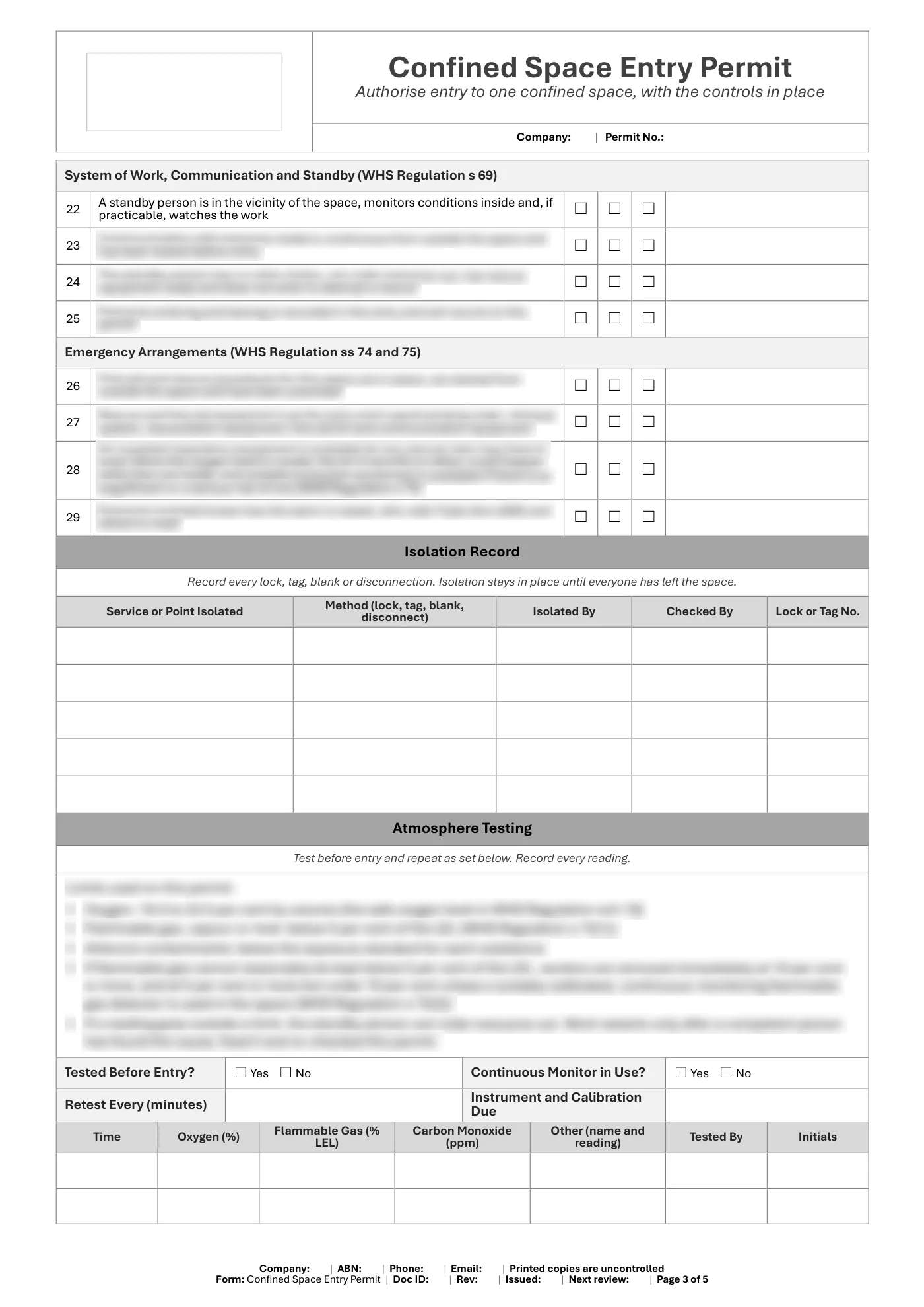
Confined Space Entry Permit
Editable Word confined space entry permit for Queensland workplaces, built around WHS Regulation s 67: the space, people, period, controls, atmosphere tests, entry record and completion sign-off.
RG
Written by Ryan Graham, health and safety professional (16 years on Queensland sites)
$9.99 incl. GST
AUD · one-off purchase · instant download
- Instant download · your links arrive by email straight after checkout and work for 3 months, so save your copy
- Make it yours in minutes · edit in Microsoft Word and add your logo
- Quality guarantee · we'll fix any problem, then refund you or give store credit if you're still not happy
- Secure checkout · card, Apple Pay or Google Pay through Stripe
About this template
A Word permit a competent person completes before anyone enters a confined space. It carries everything WHS Regulation s 67 requires, plus isolation, atmosphere testing, standby, emergency and re-validation records based on the Regulation and the Confined Spaces Code of Practice 2021.
When do you need a confined space entry permit?
In Queensland, a business must not direct a worker to enter a confined space to carry out work unless it has issued a confined space entry permit for that work (section 67 of the WHS Regulation 2011). The permit comes after the written confined space risk assessment: its control measures must be based on that assessment.
What the permit must contain
Under section 67, a confined space entry permit must be completed by a competent person, be in writing, and state:
- the confined space it relates to
- the names of the people permitted to enter
- the period of time the work will be carried out
- the measures to control the risks, including the controls for safe entry and the system of work (continuous communication and a standby person, section 69)
It must also have space for an acknowledgement that the work is complete and everyone has left the space. When the work is finished, the business must make sure all workers have left and the competent person completes that acknowledgement. Keep the permit until the work is finished, or for at least 2 years if a notifiable incident happens (section 77).
How to use the entry permit
- Do the risk assessment first and decide whether the work can be done without entering the space.
- Isolate connected plant and services, and lock and tag them.
- Test the atmosphere before entry and record the readings, and keep monitoring while people are inside.
- Brief the entrants and the standby person, check the rescue arrangements, and have the competent person issue the permit.
- Record every entry and exit, re-validate the permit if anything changes, then close it out when everyone is out.
Confined space templates that work together
- Confined Space Risk Assessment
- Confined Space Emergency Rescue Plan
- All of them together in the Confined Spaces Bundle
What is included in our confined space entry permit?
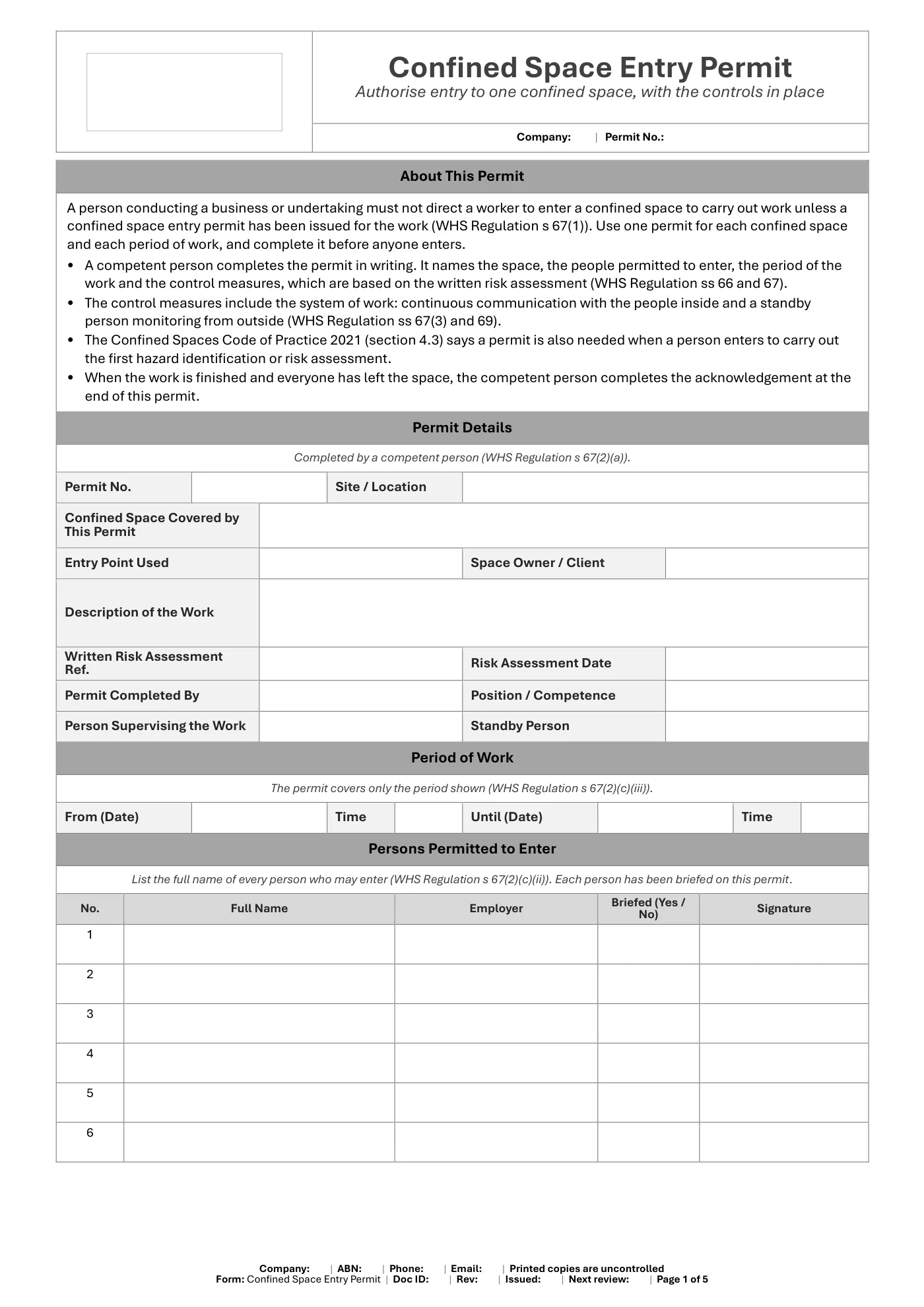
- Permit details: the confined space, the work, the risk assessment reference and the competent person who completes the permit
- The period of work and the full names of every person permitted to enter
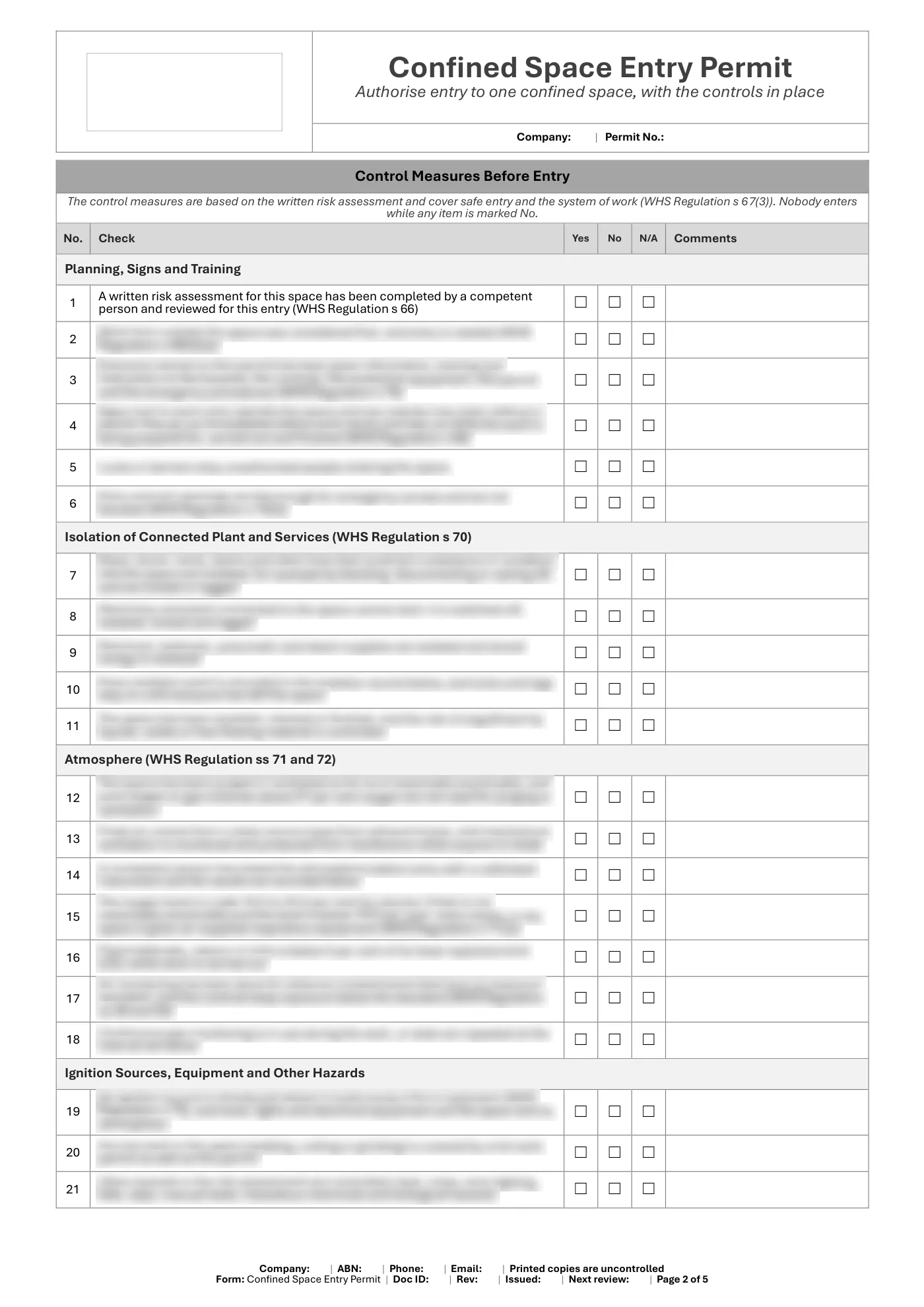
- Control measures before entry, ticked Yes, No or N/A, based on WHS Regulation ss 66 to 76
- Isolation record for connected plant and services, with locks and tags
- Atmosphere testing record: oxygen, flammable gas, carbon monoxide and other readings, with the limits that apply
- Equipment and protective equipment checklist and space for special conditions
- Emergency arrangements and the system of work: communication and standby person
- Issue of the permit and an entry and exit record for every person
- Re-validation record for changes of supervisor, breaks in work, new hazards and new controls
- The acknowledgement that the work is complete and everyone has left the space, plus record-keeping periods
What you get
- An editable Microsoft Word form (5 pages), A4 portrait, to fill in on screen or print
- Tick boxes and date pickers that work in Word
- Business details typed once and filled in on every page, plus a space for your logo
- Sign-off and document control
Review it and adjust it to suit your business, your sites and the way your team works, and talk it through with your workers.
Confined space entry permit: frequently asked questions
Is a confined space entry permit a legal requirement in Queensland?
Yes. Under section 67 of the WHS Regulation 2011, a business must not direct a worker to enter a confined space to carry out work unless it has issued a confined space entry permit for the work.
Who can issue a confined space entry permit?
The permit must be completed by a competent person: someone with the knowledge and skills, through training, qualifications or experience, to assess the space and the work and decide the controls.
What must a confined space entry permit include?
The confined space, the names of the people permitted to enter, the period of the work, and the control measures (based on the risk assessment, including safe entry controls and the communication and standby arrangements), plus space to acknowledge that the work is complete and everyone has left.
What is the difference between a confined space permit and a risk assessment?
The risk assessment identifies the hazards of the space and the task and decides the controls. The entry permit authorises named people to enter for a set period and records the controls that must be in place, which must be based on the risk assessment.
How long must a confined space entry permit be kept?
Keep it until the work it relates to is completed. If a notifiable incident happens in connection with the work, keep it for at least 2 years after the incident.
What format is the confined space entry permit?
An editable Microsoft Word form, A4 portrait, to fill in on screen or print, with tick boxes and date pickers that work in Word. Your business details are typed once and fill in on every page.
This is general information, not legal advice. Check the current law or talk to Workplace Health and Safety Queensland for your situation.
Having trouble with your download? Contact us any time. Please read our Disclaimer before downloading.
How to use it
From download to site in three steps
Buy and download
Check out with card, Apple Pay or Google Pay. Your download buttons appear straight away and the links are emailed to you. Links work for 3 months, so save your copies.
Make it yours
Open it in Microsoft Word or Excel. Add your logo, business details, site and job information, and adjust it to how the work is done.
Brief your crew
Talk it through with the workers doing the job, have them sign on, and keep it on site. Review it whenever the job or conditions change.
What format is it?
Microsoft Word. Edit it in Word, or free in Word for the web, and add your own logo and business details.
How do I get it after I pay?
Your download buttons appear as soon as checkout finishes, and the links are emailed to you. You can re-download from your account at any time.
Is it compliant with Queensland law?
It's written around Queensland's Work Health and Safety Act 2011 and Regulation 2011. Tailor it to your site, consult your workers and review it whenever conditions change; no template can guarantee compliance on its own.
What if it isn't right for my job?
If it doesn't match its description or has a fault, tell us and we'll fix it. If you're still not happy, we'll refund you or give you store credit, your choice. Check the sample pages first, as we don't refund a change of mind.
Only logged in customers who have purchased this product may leave a review.
More templates like this
Crane Lift Plan
$19.99
Reviews