
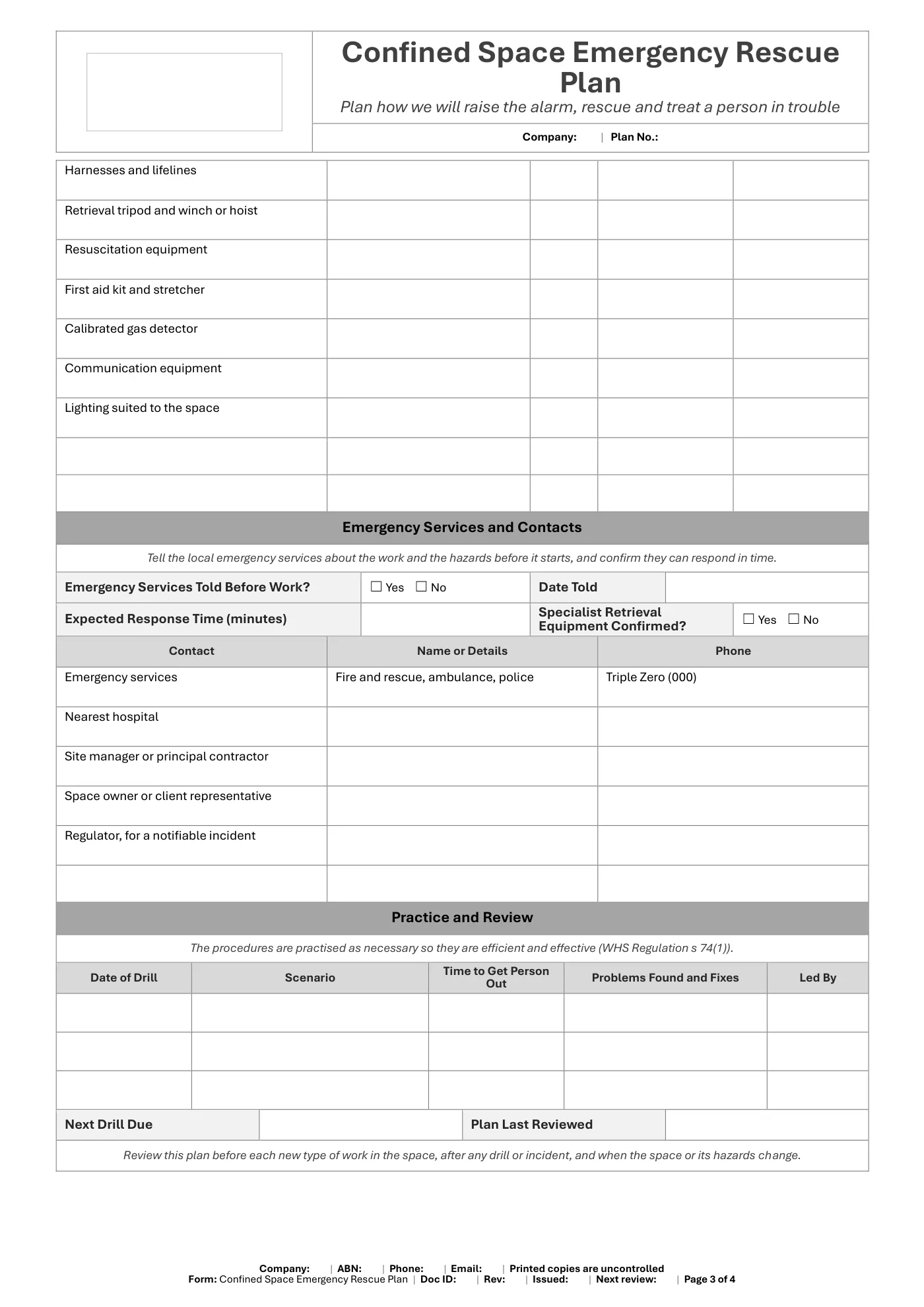
Confined Space Emergency Rescue Plan Template
Free editable Word confined space emergency rescue plan for Queensland workplaces: the space, emergencies, alarm, rescue method, people, equipment, emergency services, drills and sign-off.
RG
Written by Ryan Graham, health and safety professional (16 years on Queensland sites)
Free
No payment needed · instant download
- Instant download · it appears as soon as you send the form
- Make it yours in minutes · edit in Microsoft Word and add your logo
- If it has a fault · tell us and we'll fix it
- No card needed · free to download, with no payment details asked for
About this template
A free Word plan for the first aid and rescue procedures a business must establish for a confined space (WHS Regulation s 74). It follows the Confined Spaces Code of Practice 2021 and gives you an editable emergency procedure to adapt to your space, then train and practise.
What is included in our confined space emergency rescue plan?
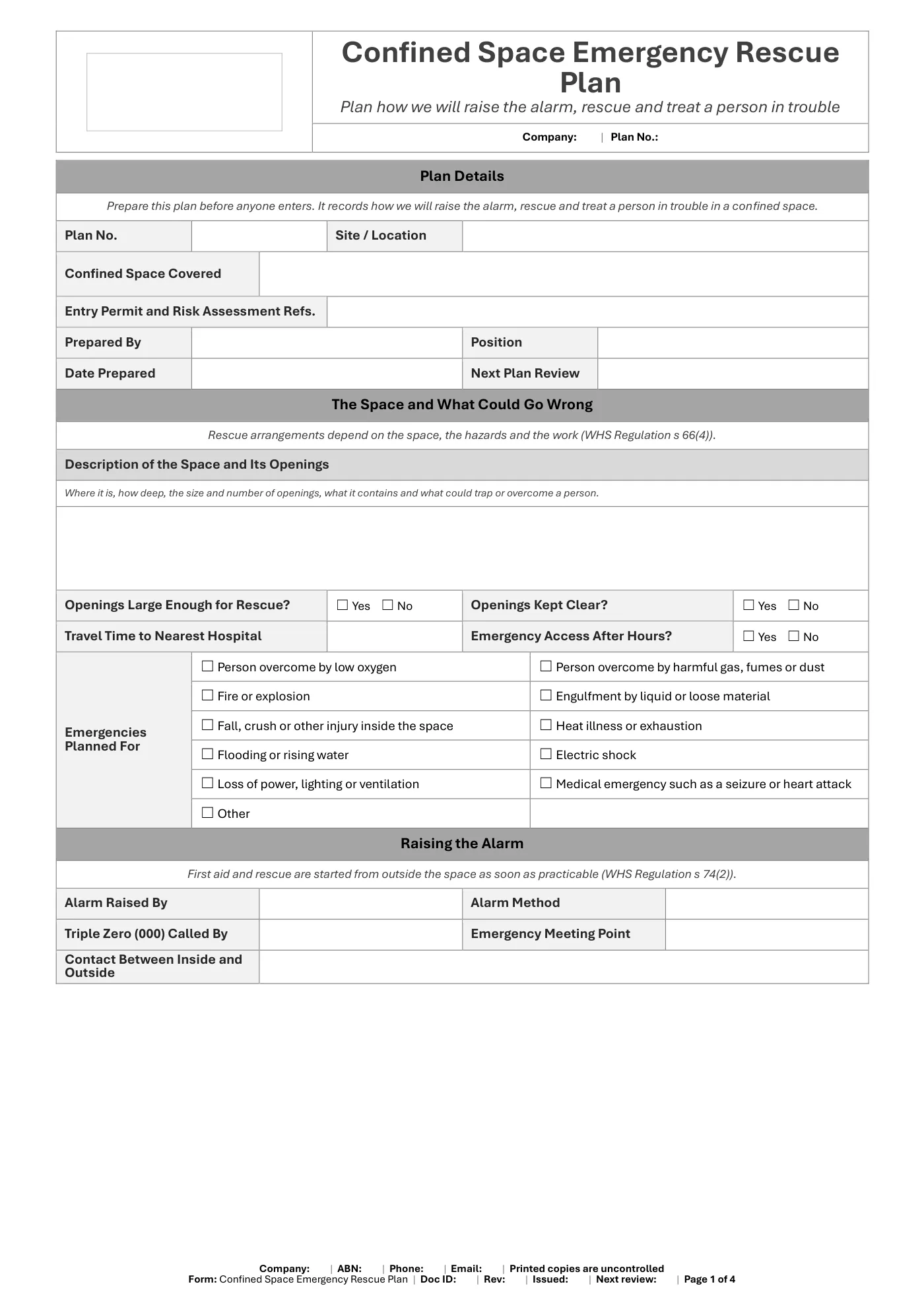
- Plan details: the confined space, related permit and risk assessment, author and review date
- A description of the space and its openings, with the emergencies you are planning for
- How the alarm is raised, who calls Triple Zero (000) and the emergency meeting point
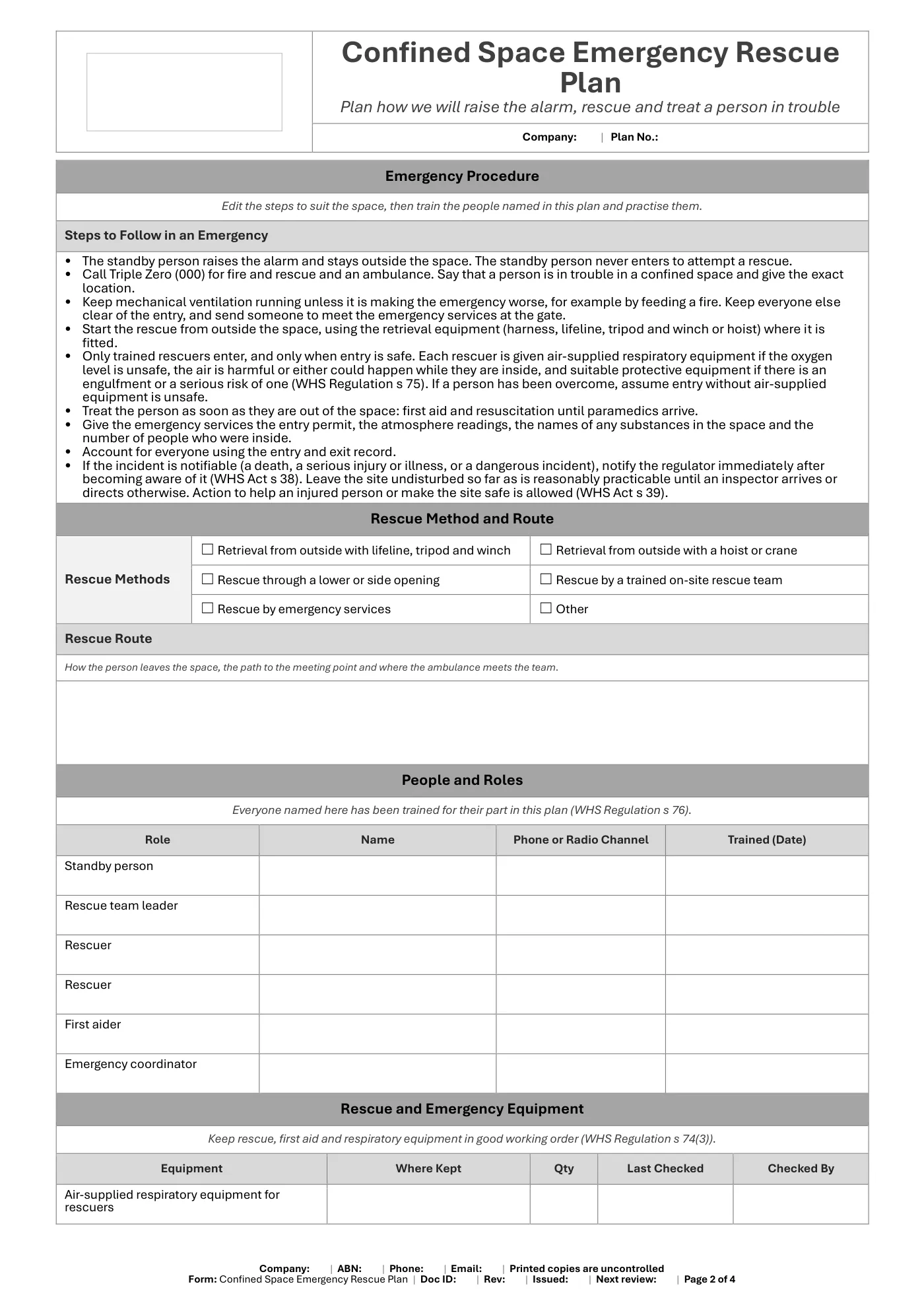
- An editable step-by-step emergency procedure that keeps rescue starting from outside the space
- Rescue methods and the rescue route
- People and roles: standby person, rescue team, first aider and coordinator
- Rescue and emergency equipment register with last-checked dates
- Emergency services arrangements and contacts
- Drill record and review dates
- Acknowledgement signatures and sign-off
What you get
- An editable Microsoft Word form (4 pages), A4 portrait, to fill in on screen or print
- Tick boxes and date pickers that work in Word
- Business details typed once and filled in on every page, plus a space for your logo
- Sign-off and document control
Review it and adjust it to suit your business, your sites and the way your team works, and talk it through with your workers.
Having trouble with your download? Contact us any time. Please read our Disclaimer before downloading.
How to use it
From download to site in three steps
Fill in the form and download
Enter your name and email. Your download buttons appear straight away and the links are emailed to you.
Make it yours
Open it in Microsoft Word or Excel. Add your logo, business details, site and job information, and adjust it to how the work is done.
Brief your crew
Talk it through with the workers doing the job, have them sign on, and keep it on site. Review it whenever the job or conditions change.
What format is it?
Microsoft Word. Edit it in Word, or free in Word for the web, and add your own logo and business details.
How do I get it?
Fill in your name and email on this page. Your download buttons appear as soon as you send the form, and the links are emailed to you. You can download it again from your account at any time.
Is it compliant with Queensland law?
It's written around Queensland's Work Health and Safety Act 2011 and Regulation 2011. Tailor it to your site, consult your workers and review it whenever conditions change; no template can guarantee compliance on its own.
What if it isn't right for my job?
Check the sample pages first. If the template has a fault or doesn't match its description, tell us and we'll fix it. Every template is a starting point that you tailor to your own work.
Only logged in customers who have purchased this product may leave a review.
Reviews