
Working Near Live Traffic Toolbox Meeting Template
Editable Word toolbox meeting template on working near live traffic: when roadside work is high risk, the traffic management plan, traffic controllers, being seen, plant movements and reporting, with questions, actions and an attendance sheet.
RG
Written by Ryan Graham, health and safety professional (16 years on Queensland sites)
$4.99 incl. GST
AUD · one-off purchase · instant download
- Instant download · your links arrive by email straight after checkout
- Make it yours in minutes · edit in Microsoft Word or Excel and add your logo
- Quality guarantee · we'll fix it or refund you if it isn't as described
- Secure checkout · card, Apple Pay or Google Pay through Stripe
Bundles
Bundles that include this template
About this template
A ready-to-run talk for crews working on or beside a road. It takes about 10 to 15 minutes and finishes with a box for where the traffic plan is kept, who the traffic controller is and where plant enters and leaves, plus actions and an attendance sheet.
What Is Included In Our Working Near Live Traffic Toolbox Meeting?
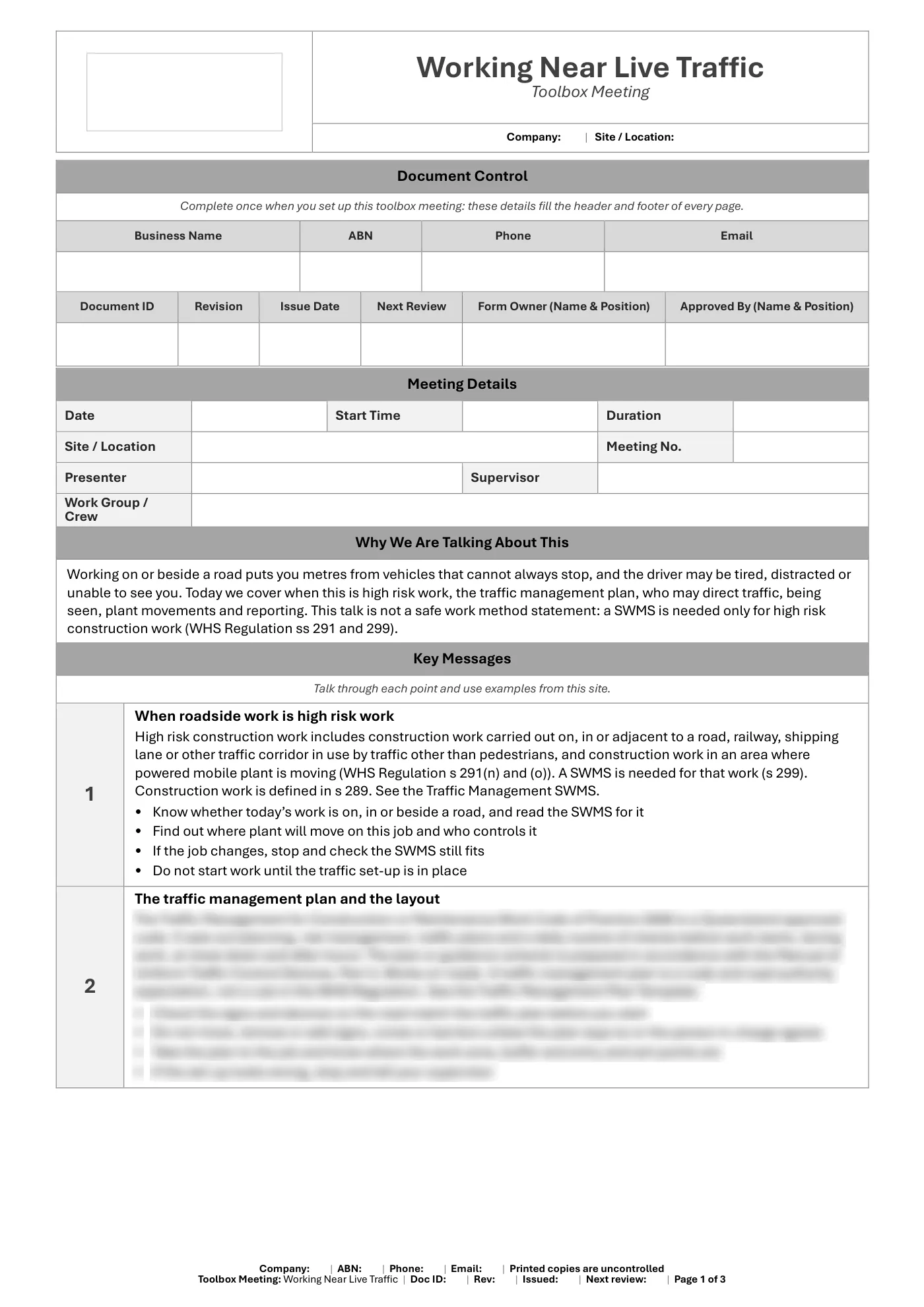
- Roadside and plant movement work as high risk construction work (WHS Regulation s 291(n) and (o))
- The traffic management plan, code and Manual of Uniform Traffic Control Devices (by title only)
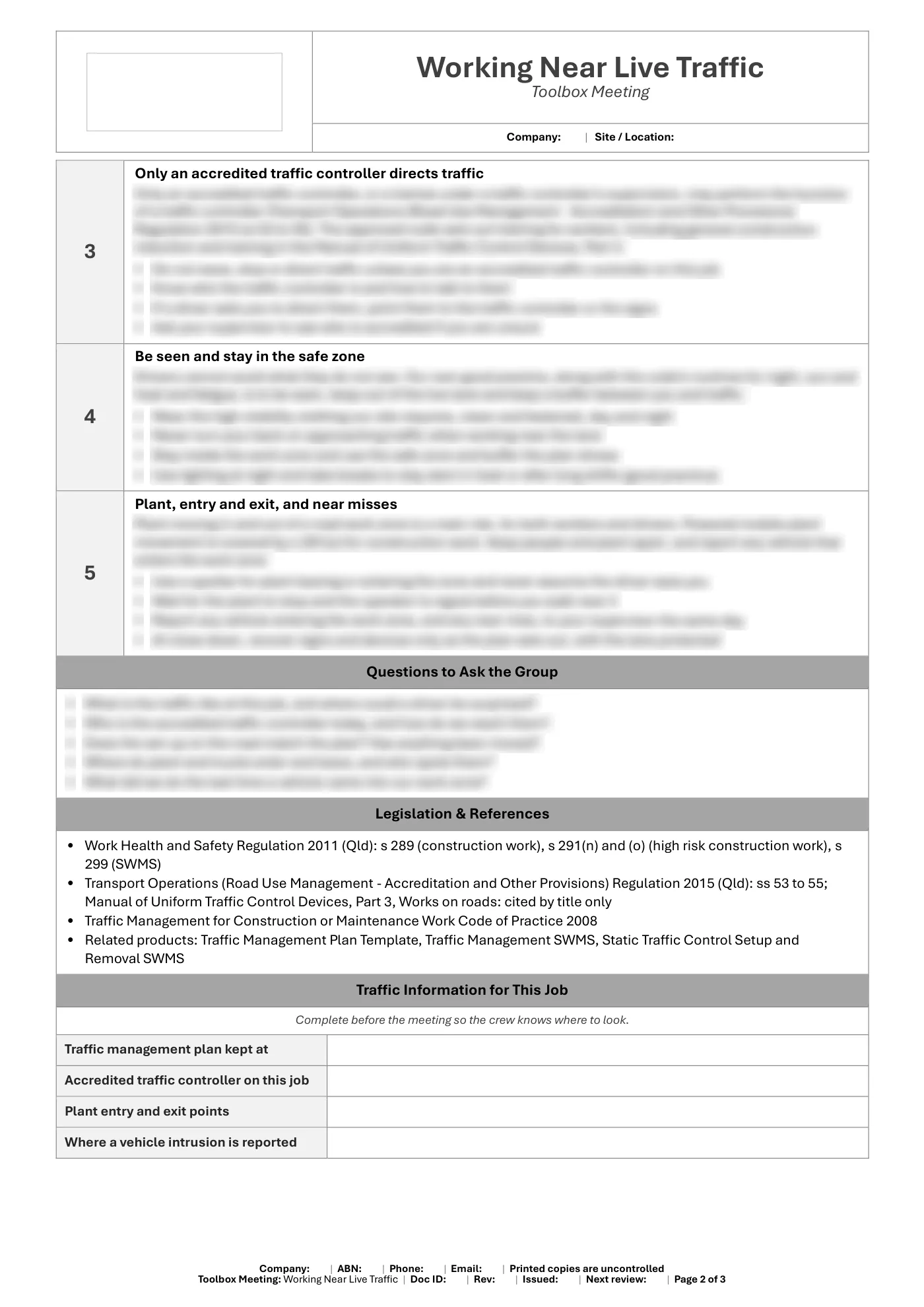
- Only an accredited traffic controller directs traffic
- Being seen, safe zones and never turning your back
- Plant entry and exit, spotters and reporting intrusions
- A fill-in box for the plan, traffic controller and plant points
- Questions to ask the group
- Legislation and code references
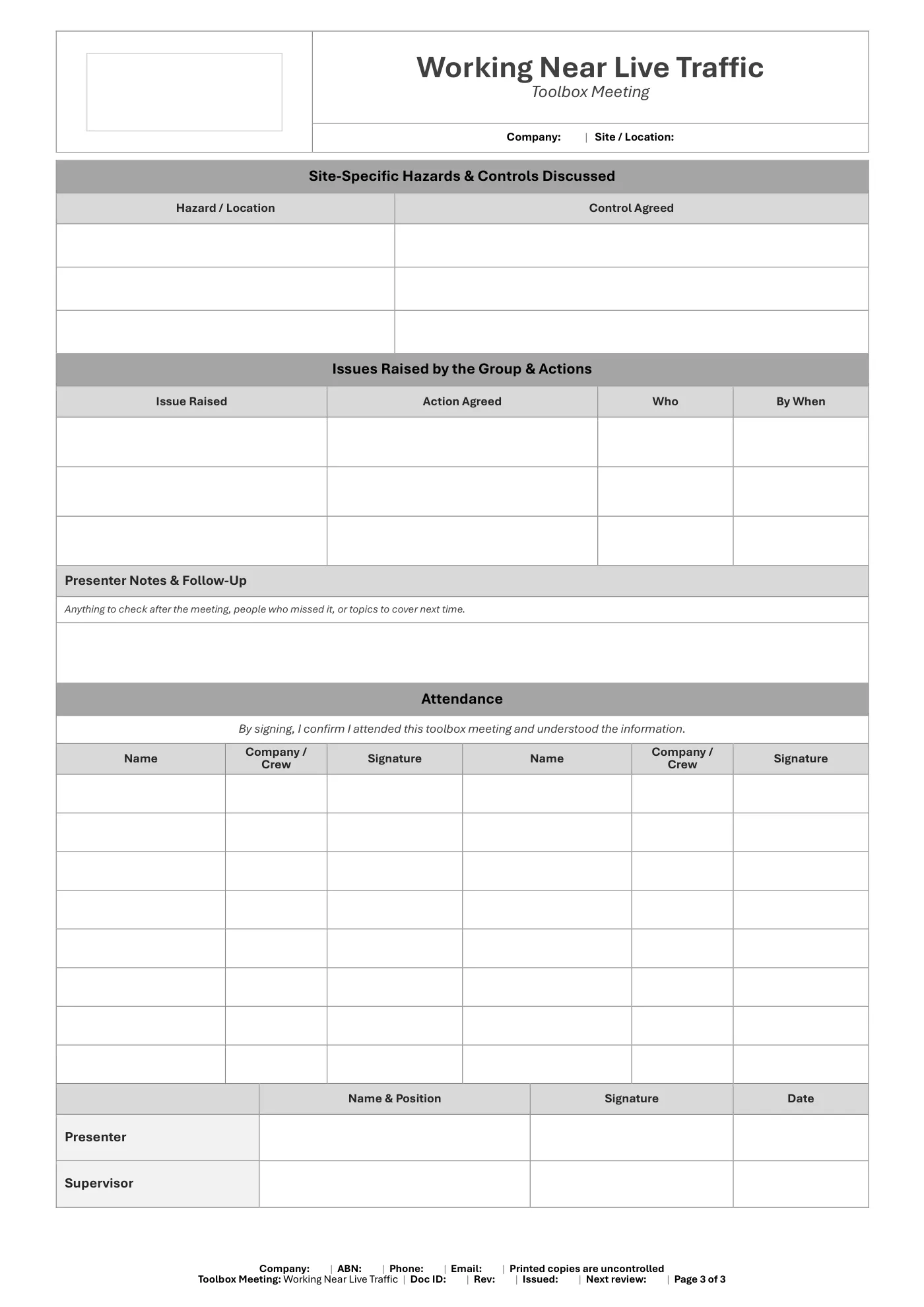
- Site hazards and controls, issues and actions tables, presenter notes and an attendance sign-on sheet
What You Get
- An editable Microsoft Word toolbox meeting (3 pages), A4 portrait
- Key messages and questions for the group
- Site hazards, issues raised, actions and presenter notes
- An attendance sign-on and sign-off
- Business details typed once and filled in on every page, plus a space for your logo
Review it and adjust it to suit your business, your sites and the way your team works, and talk it through with your workers. If you have any trouble downloading this template, you can contact us at any time. Please make sure you read our Disclaimer before downloading.
How to use it
From download to site in three steps
Buy and download
Check out with card, Apple Pay or Google Pay. Your download buttons appear straight away and the links are emailed to you.
Make it yours
Open it in Microsoft Word or Excel. Add your logo, business details, site and job information, and adjust it to how the work is done.
Brief your crew
Talk it through with the workers doing the job, have them sign on, and keep it on site. Review it whenever the job or conditions change.
What format is it?
Microsoft Word (registers are Excel). Edit it in Word or Excel, or free in Word and Excel for the web, and add your own logo and business details.
How do I get it after I pay?
Your download buttons appear as soon as checkout finishes, and the links are emailed to you. You can re-download from your account at any time.
Is it compliant with Queensland law?
It's written around Queensland's Work Health and Safety Act 2011 and Regulation 2011. Tailor it to your site, consult your workers and review it whenever conditions change; no template can guarantee compliance on its own.
What if it isn't right for my job?
If it doesn't match its description or has a fault, we'll fix it, and if we can't, we'll refund you (or give you store credit if you'd prefer). Check the sample pages first, as we don't refund a change of mind.
Reviews
More templates
Reviews