EWP Rescue Plan
$14.99
Instant download · Editable Word & Excel files · Secure checkout with Apple Pay & Google Pay
About · Contact · Help & FAQ · My downloads

Manuals and plans
Full systems and bundles
Full safety system
Manual, policies, SWMS, forms and registers for your industry, in one download.
From $750.00
Tell us what you need. Popular requests get written and added to the store.
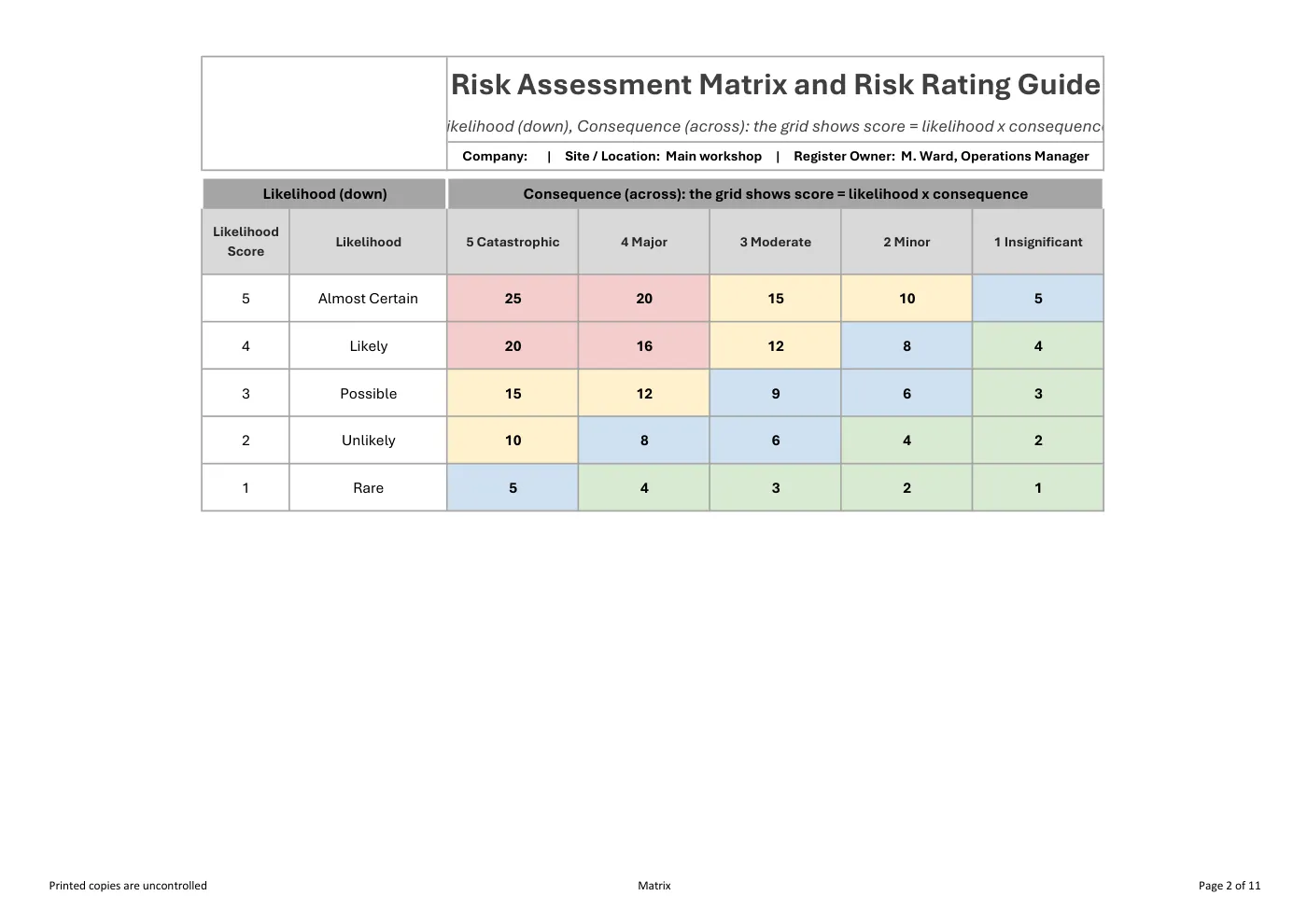
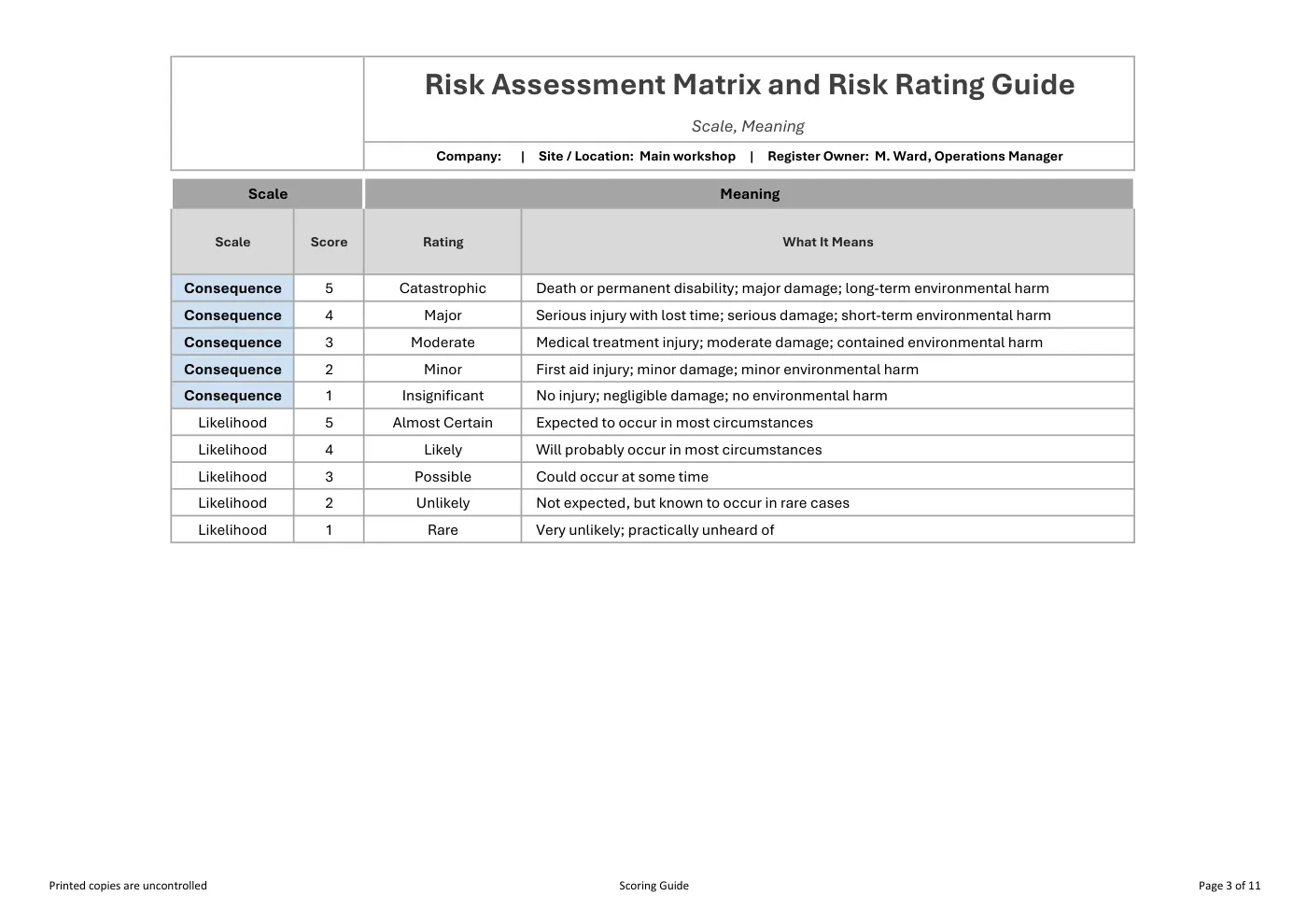
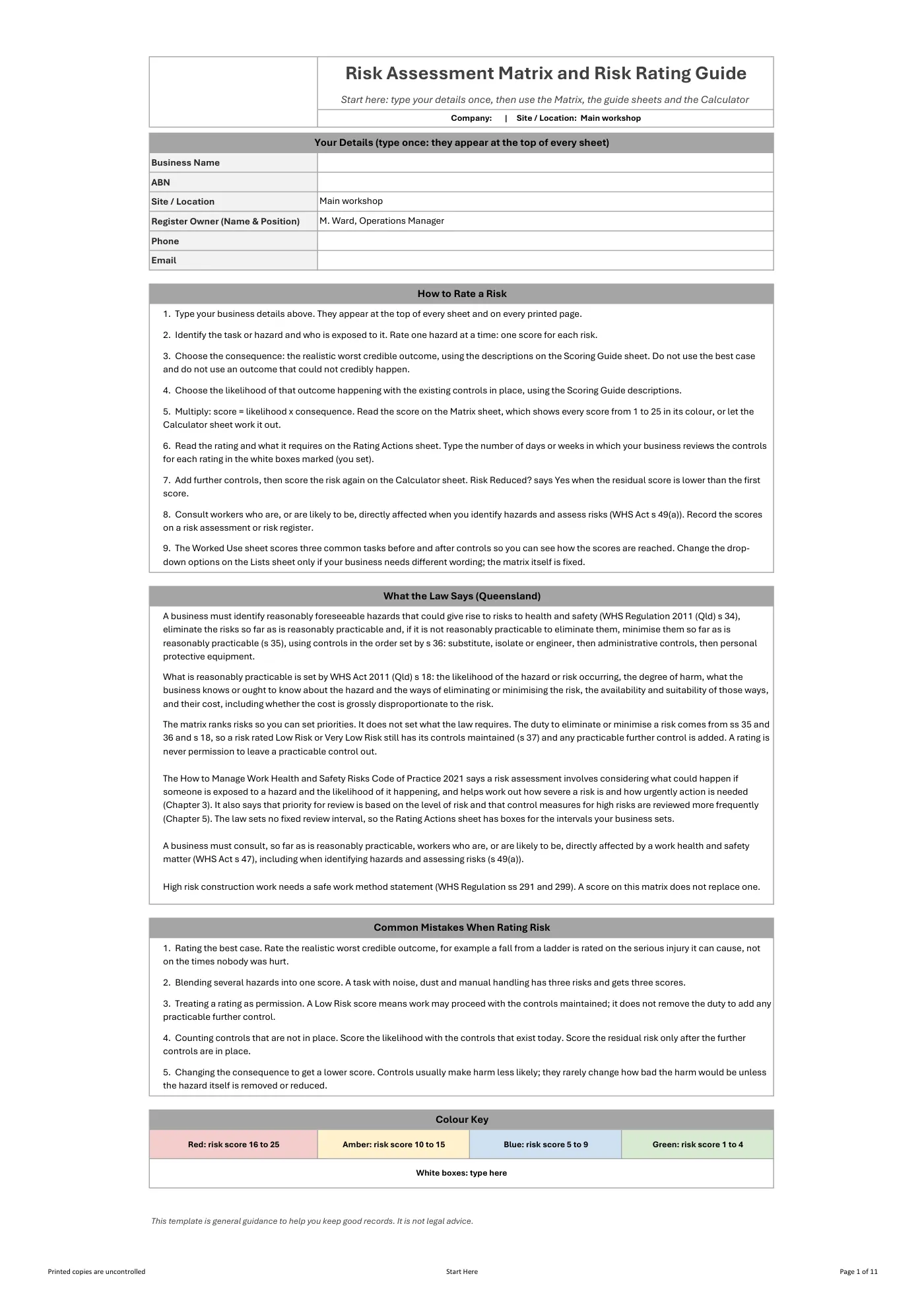
Editable Excel risk assessment matrix template for Queensland: a 5×5 matrix, likelihood and consequence definitions, action required for each rating, a scoring calculator and worked use.
RG
Written by Ryan Graham, health and safety professional (16 years on Queensland sites)
$9.99 incl. GST
AUD · one-off purchase · instant download
About this template
A risk assessment matrix template in Excel for Queensland businesses: a 5×5 matrix with consequence from Insignificant to Catastrophic across and likelihood from Rare to Almost Certain down, each cell showing its score and its colour. The Scoring Guide gives a description for every consequence and likelihood, and the Rating Actions sheet says what each rating requires you to do. The Calculator works out the score, the rating and the action for each risk before and after controls, and says whether the risk has been reduced. Three worked tasks show how scores are reached. The guide states plainly that a rating ranks risks and does not decide what the law requires.
Review it and adjust it to suit your business, your sites and the way your team works, and talk it through with your workers. If you have any trouble downloading this template, you can contact us at any time. Please make sure you read our Disclaimer before downloading.
Having trouble with your download? Contact us any time. Please read our Disclaimer before downloading.
How to use it
Check out with card, Apple Pay or Google Pay. Your download buttons appear straight away and the links are emailed to you. Links work for 3 months, so save your copies.
Open it in Microsoft Word or Excel. Add your logo, business details, site and job information, and adjust it to how the work is done.
Talk it through with the workers doing the job, have them sign on, and keep it on site. Review it whenever the job or conditions change.
Microsoft Excel. Edit it in Excel, or free in Excel for the web, and add your own logo and business details.
Your download buttons appear as soon as checkout finishes, and the links are emailed to you. You can re-download from your account at any time.
It's written around Queensland's Work Health and Safety Act 2011 and Regulation 2011. Tailor it to your site, consult your workers and review it whenever conditions change; no template can guarantee compliance on its own.
If it doesn't match its description or has a fault, tell us and we'll fix it. If you're still not happy, we'll refund you or give you store credit, your choice. Check the sample pages first, as we don't refund a change of mind.
Only logged in customers who have purchased this product may leave a review.
Reviews