
Suitable Duties Plan Form
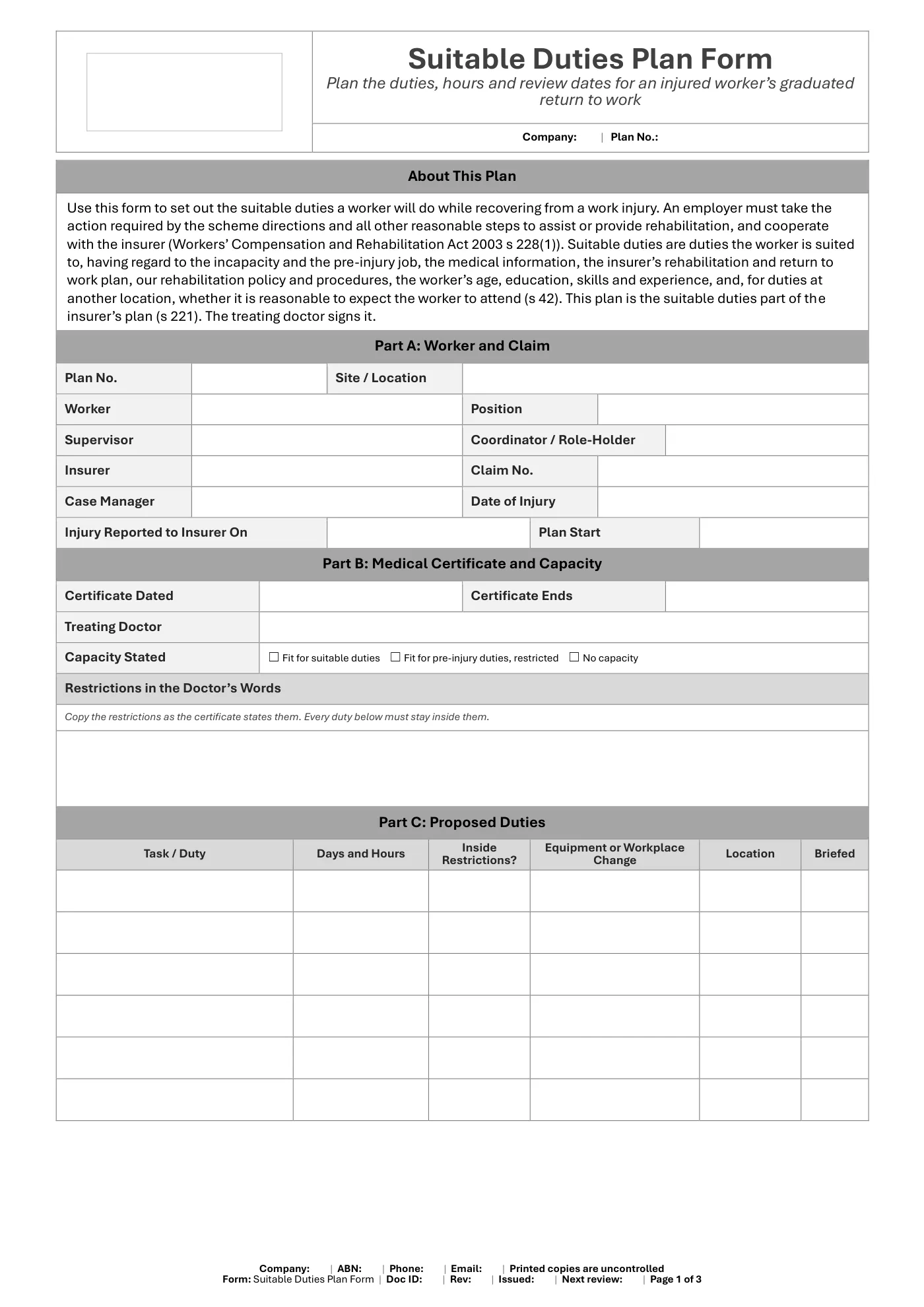
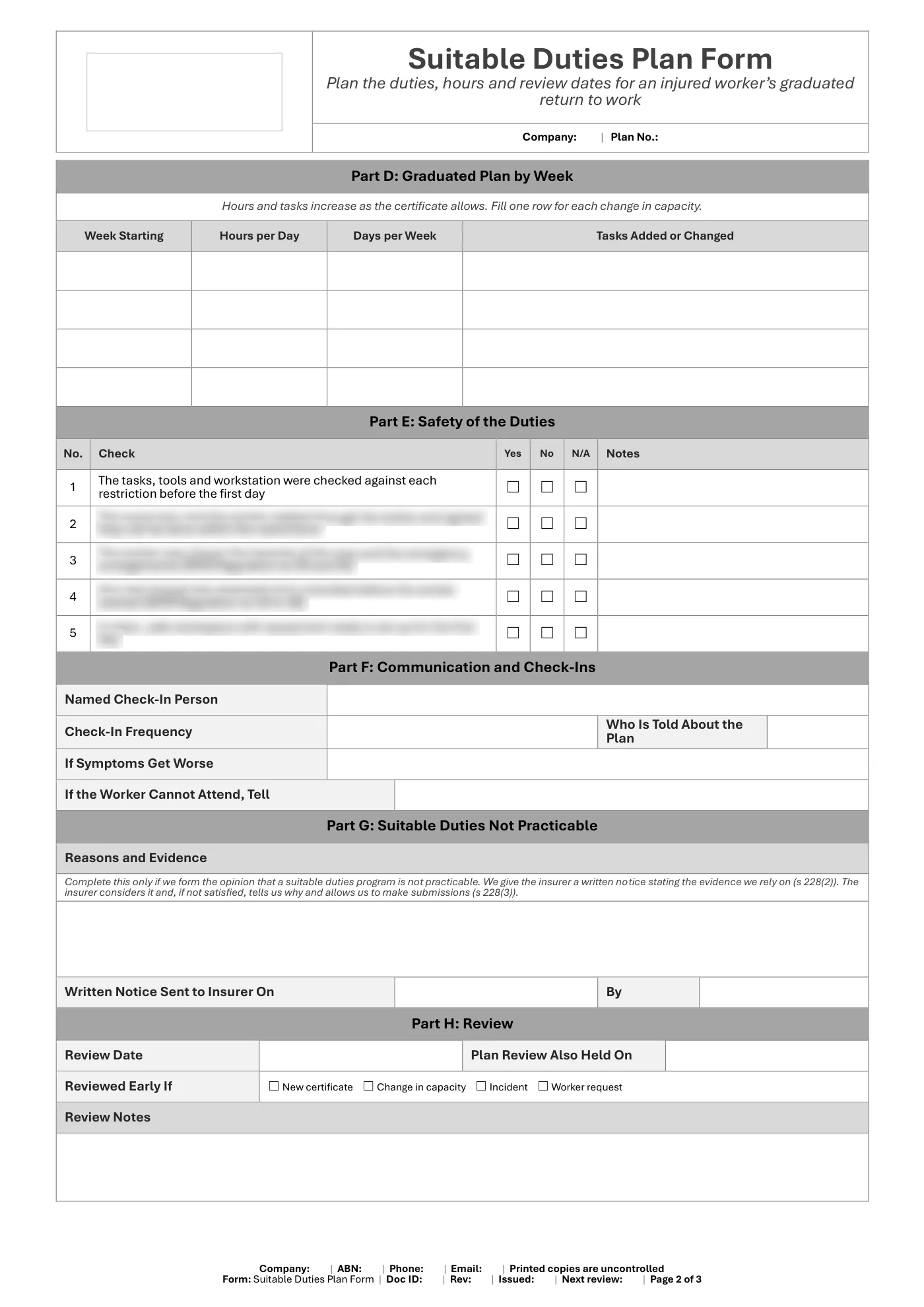
Editable Word suitable duties plan form for Queensland: worker and claim details, certificate restrictions, proposed duties, week-by-week hours, safety of the duties, review dates and signatures.
RG
Written by Ryan Graham, health and safety professional (16 years on Queensland sites)
$9.99 incl. GST
AUD · one-off purchase · instant download
- Instant download · your links arrive by email straight after checkout and work for 3 months, so save your copy
- Make it yours in minutes · edit in Microsoft Word and add your logo
- Quality guarantee · we'll fix any problem, then refund you or give store credit if you're still not happy
- Secure checkout · card, Apple Pay or Google Pay through Stripe
About this template
A suitable duties plan form for an injured worker’s return to work. It records the certificate and restrictions, the duties and hours week by week, the safety check of those duties, who checks in, what happens if symptoms get worse, and the review date. A box sets out what to send the insurer if suitable duties cannot be provided. It is signed by the worker, coordinator, supervisor and treating doctor.
What Is Included In Our Suitable Duties Plan Form?
- Worker, employer, insurer and claim details
- Certificate dates, capacity and the doctor’s restrictions
- Proposed duties matched to each restriction
- Graduated plan by week
- Safety check of the duties before day one
- Check-in person, frequency and what to do if symptoms worsen
- Written notice to the insurer if suitable duties are not practicable
- Review dates and signatures for worker, coordinator, supervisor and doctor
Legislation and Codes of Practice Referenced
- Workers’ Compensation and Rehabilitation Act 2003 (Qld): ss 40, 42, 133, 221, 228, 231, 232B and 572A
- Workers’ Compensation and Rehabilitation Regulation 2025 (Qld): s 148
- Work Health and Safety Regulation 2011 (Qld): ss 34 to 39 and 43
What You Get
- An editable Microsoft Word form (3 pages), A4 portrait, to fill in on screen or print
- Tick boxes and date pickers that work in Word
- Business details typed once and filled in on every page, plus a space for your logo
- Sign-off and document control
Review it and adjust it to suit your business, your sites and the way your team works, and talk it through with your workers. If you have any trouble downloading this template, you can contact us at any time. Please make sure you read our Disclaimer before downloading.
Having trouble with your download? Contact us any time. Please read our Disclaimer before downloading.
How to use it
From download to site in three steps
Buy and download
Check out with card, Apple Pay or Google Pay. Your download buttons appear straight away and the links are emailed to you. Links work for 3 months, so save your copies.
Make it yours
Open it in Microsoft Word or Excel. Add your logo, business details, site and job information, and adjust it to how the work is done.
Brief your crew
Talk it through with the workers doing the job, have them sign on, and keep it on site. Review it whenever the job or conditions change.
What format is it?
Microsoft Word. Edit it in Word, or free in Word for the web, and add your own logo and business details.
How do I get it after I pay?
Your download buttons appear as soon as checkout finishes, and the links are emailed to you. You can re-download from your account at any time.
Is it compliant with Queensland law?
It's written around Queensland's Work Health and Safety Act 2011 and Regulation 2011. Tailor it to your site, consult your workers and review it whenever conditions change; no template can guarantee compliance on its own.
What if it isn't right for my job?
If it doesn't match its description or has a fault, tell us and we'll fix it. If you're still not happy, we'll refund you or give you store credit, your choice. Check the sample pages first, as we don't refund a change of mind.
Only logged in customers who have purchased this product may leave a review.
Reviews