
Telecommunication Tower Pre-Climb Checklist
Editable Word telecommunication tower pre-climb checklist for Queensland: SWMS, climber competence, fall arrest equipment and anchorage, rescue, working alone, radiofrequency, weather and dropped objects.
RG
Written by Ryan Graham, health and safety professional (16 years on Queensland sites)
$5.99 incl. GST
AUD · one-off purchase · instant download
- Instant download · your links arrive by email straight after checkout and work for 3 months, so save your copy
- Make it yours in minutes · edit in Microsoft Word and add your logo
- Quality guarantee · we'll fix any problem, then refund you or give store credit if you're still not happy
- Secure checkout · card, Apple Pay or Google Pay through Stripe
About this template
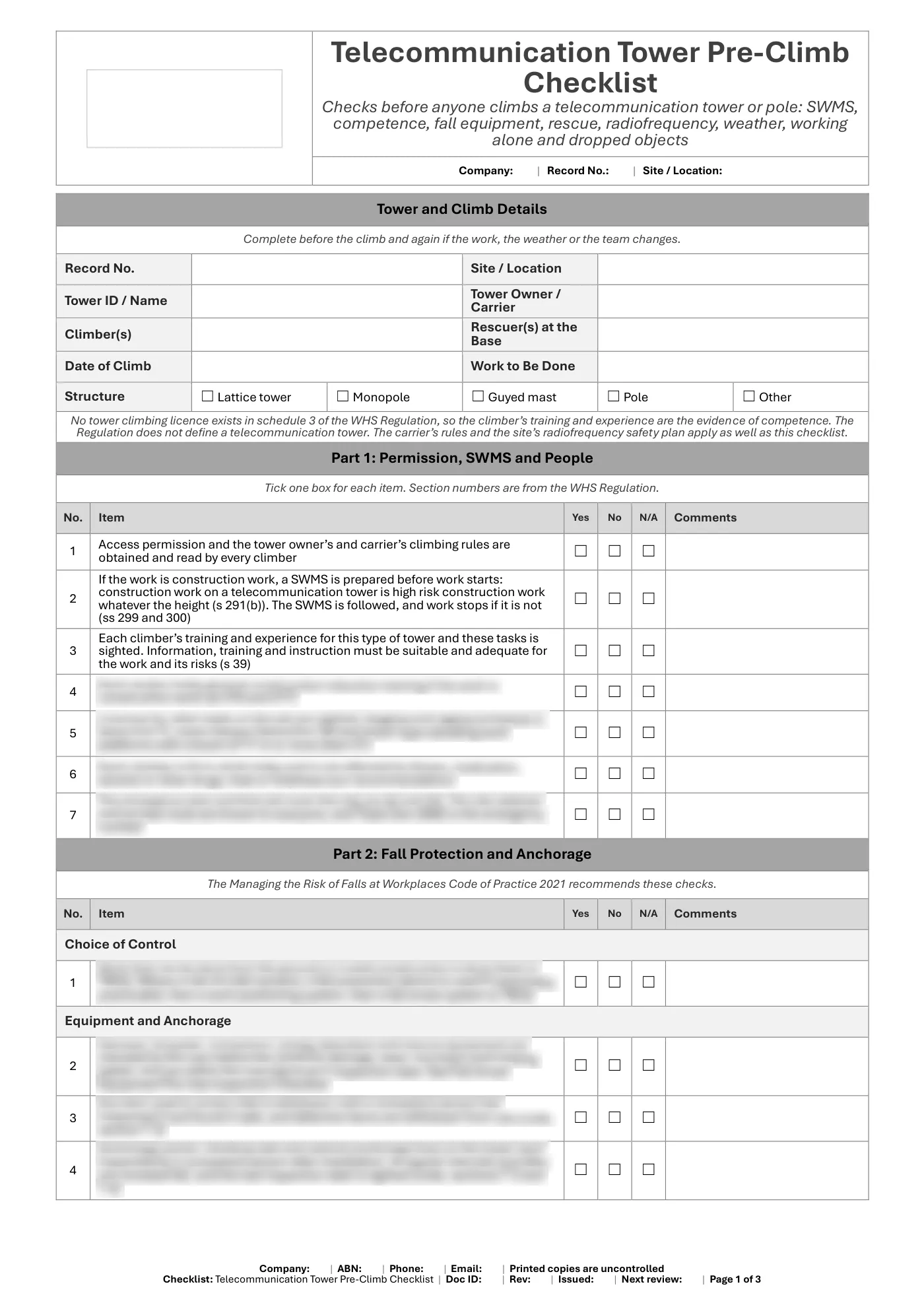
A checklist to complete before anyone climbs a telecommunication tower or pole. It covers permission, the SWMS, climber training, fall protection equipment and anchorage, a rescue plan and a rescuer at the base, working alone, radiofrequency, weather and dropped objects. Radiofrequency exposure is left to the carrier’s rules and the site’s RF safety plan.
What is included in our telecommunication tower pre-climb checklist?
- Tower and climb details
- Access permission and the SWMS for tower work
- Climber training and experience
- Fall prevention before fall arrest
- Harness, lanyard and connector checks
- Anchorages and vertical lines inspected by a competent person
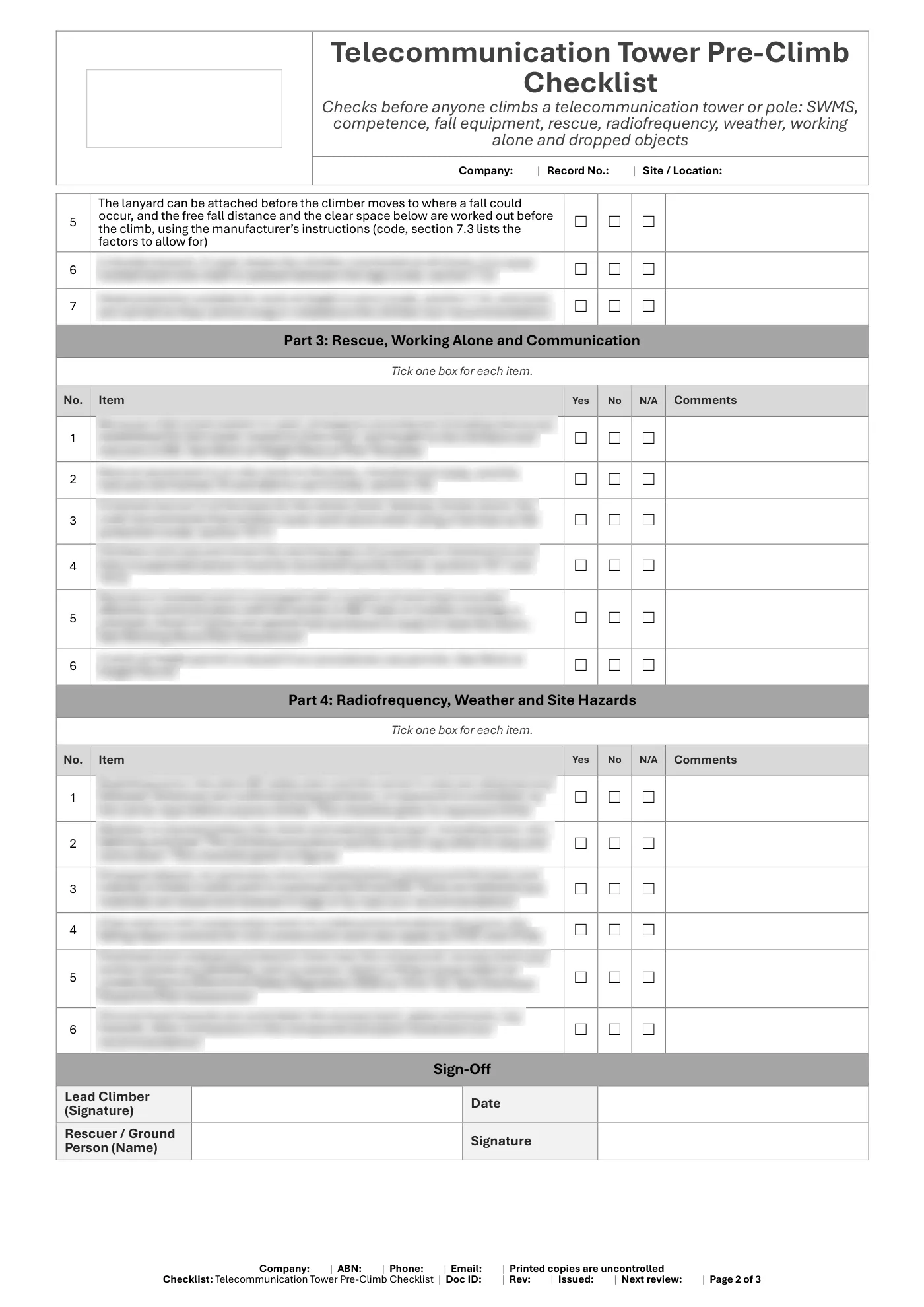
- Rescue procedure and rescuer at the base
- Working alone and communication
- Radiofrequency rules from the carrier
- Weather and lightning stop rules
- Dropped objects and exclusion zone
- Sign-off and notes
Legislation and codes of practice referenced
- Work Health and Safety Regulation 2011 (Qld): ss 39, 48, 54, 55, 78 to 80 and 291
- Managing the Risk of Falls at Workplaces Code of Practice 2021 (Qld)
What you get
- An editable Microsoft Word checklist (3 pages), A4 portrait, to fill in on screen or print
- Tick boxes that work in Word
- A faults and actions record and sign-off
- Business details typed once and filled in on every page, plus a space for your logo
Review it and adjust it to suit your business, your sites and the way your team works, and talk it through with your workers.
Having trouble with your download? Contact us any time. Please read our Disclaimer before downloading.
How to use it
From download to site in three steps
Buy and download
Check out with card, Apple Pay or Google Pay. Your download buttons appear straight away and the links are emailed to you. Links work for 3 months, so save your copies.
Make it yours
Open it in Microsoft Word or Excel. Add your logo, business details, site and job information, and adjust it to how the work is done.
Brief your crew
Talk it through with the workers doing the job, have them sign on, and keep it on site. Review it whenever the job or conditions change.
What format is it?
Microsoft Word. Edit it in Word, or free in Word for the web, and add your own logo and business details.
How do I get it after I pay?
Your download buttons appear as soon as checkout finishes, and the links are emailed to you. You can re-download from your account at any time.
Is it compliant with Queensland law?
It's written around Queensland's Work Health and Safety Act 2011 and Regulation 2011. Tailor it to your site, consult your workers and review it whenever conditions change; no template can guarantee compliance on its own.
What if it isn't right for my job?
If it doesn't match its description or has a fault, tell us and we'll fix it. If you're still not happy, we'll refund you or give you store credit, your choice. Check the sample pages first, as we don't refund a change of mind.
Reviews