
Excavation Shoring Inspection Checklist
Editable Word excavation shoring inspection checklist for Queensland sites: shoring, trench shields and benching, spoil and edges, access and egress, water and checks after rain.
RG
Written by Ryan Graham, health and safety professional (16 years on Queensland sites)
$5.99 incl. GST
AUD · one-off purchase · instant download
- Instant download · your links arrive by email straight after checkout and work for 3 months, so save your copy
- Your business name and logo · we fill them into every document for A$29 (free on orders of A$500 or more), or edit it yourself in Microsoft Word
- Quality guarantee · we'll fix any problem, then refund you or give store credit if you're still not happy
- Secure checkout · card, Apple Pay or Google Pay through Stripe
About this template
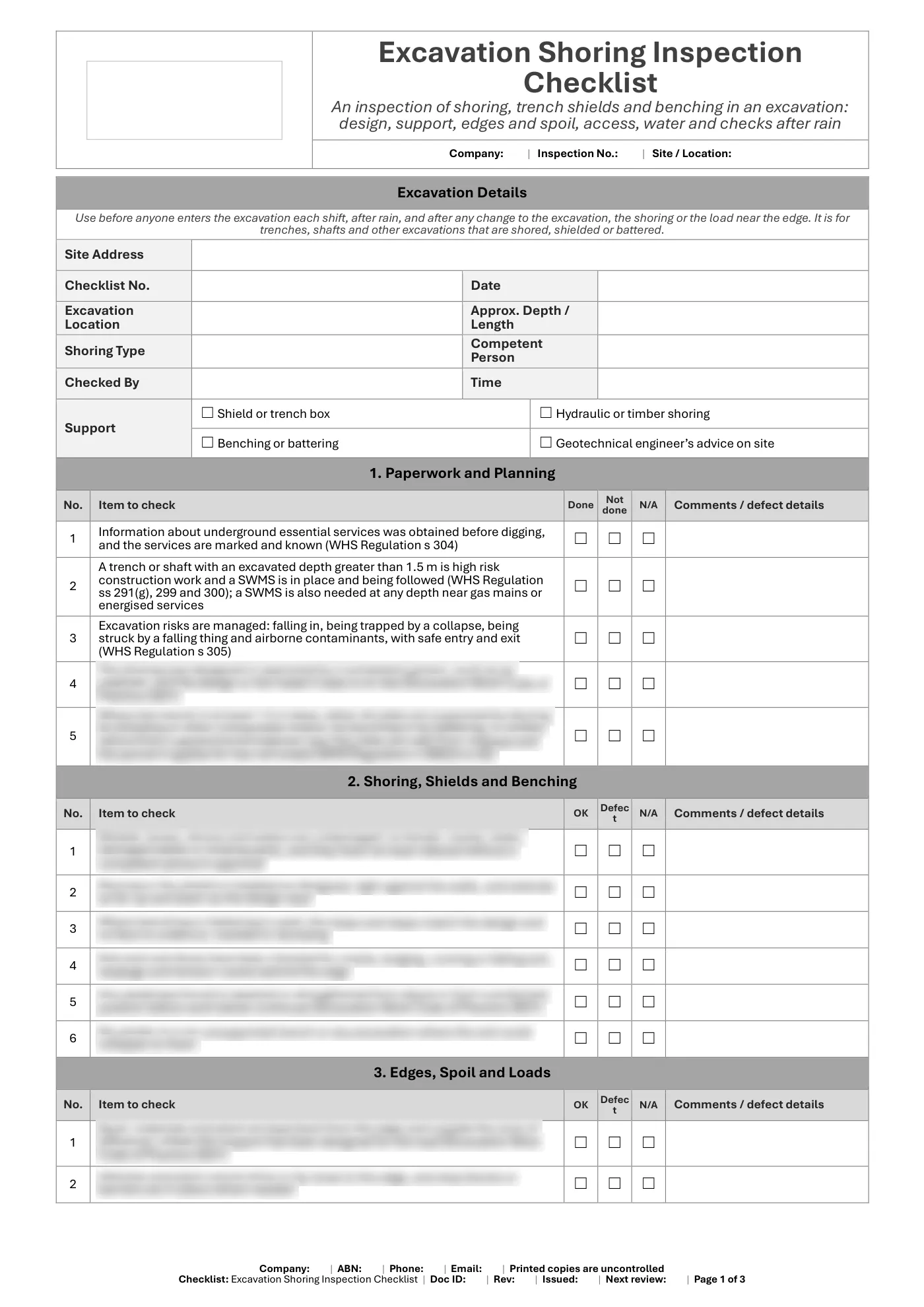
An inspection list for the support of an excavation. It uses the exact depth wording in the Regulation, greater than 1.5 m for the SWMS trigger and at least 1.5 m for the trench controls, and says inspection frequency is good practice.
What is included in our excavation shoring inspection checklist?
- Services information and SWMS
- Design of the shoring
- Shields, boxes, shores and walers
- Benching and battering
- Soil, edges and spoil
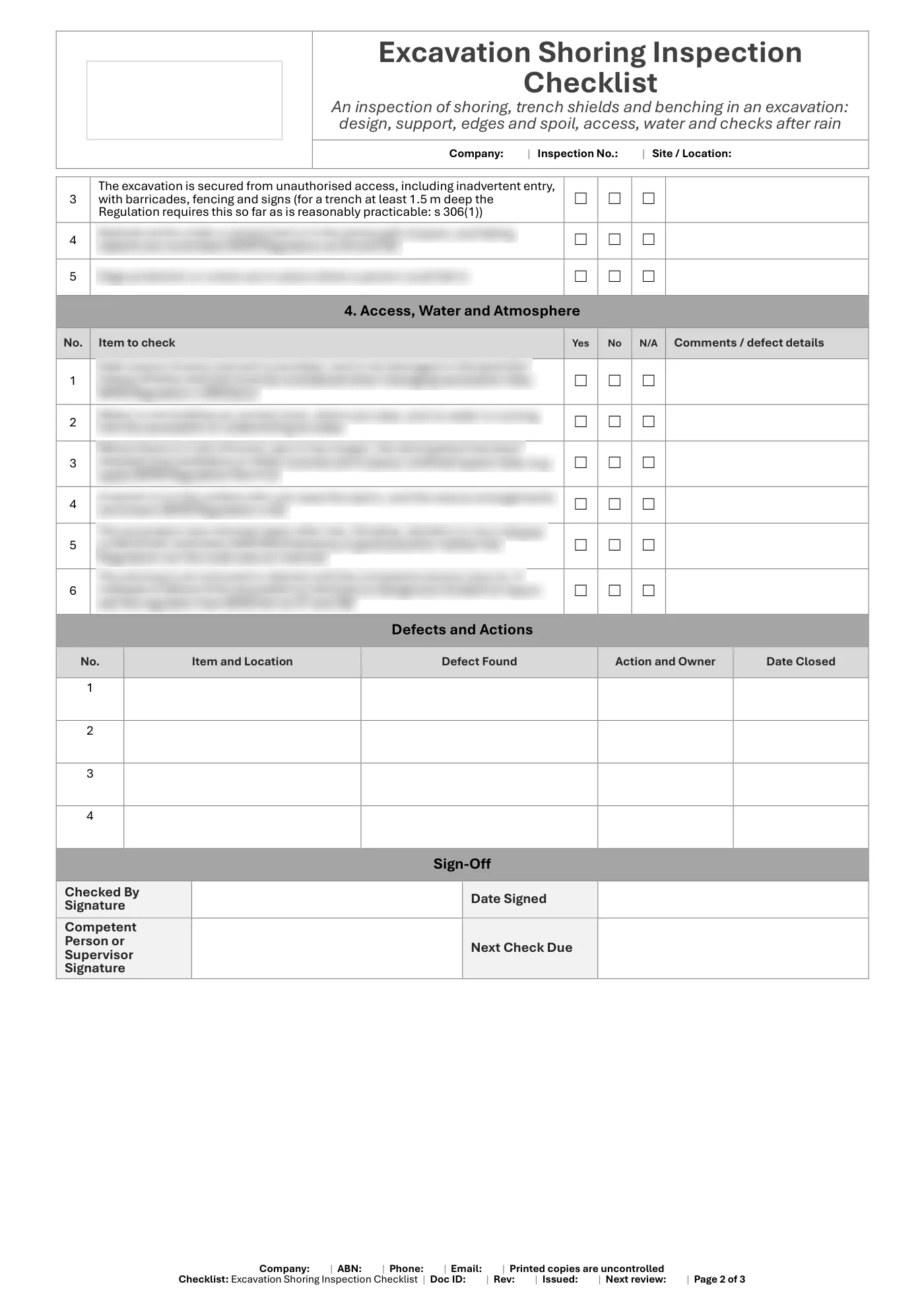
- Unauthorised access
- Access, egress and rescue
- Water and atmosphere
- Checks after rain and each shift
- Defects and actions table
- Sign-off
What you get
- An editable Microsoft Word checklist (3 pages), A4 portrait, to fill in on screen or print
- Tick boxes that work in Word
- A faults and actions record and sign-off
- Business details typed once and filled in on every page, plus a space for your logo
Review it and adjust it to suit your business, your sites and the way your team works, and talk it through with your workers.
Having trouble with your download? Contact us any time. Please read our Disclaimer before downloading.
How to use it
From download to site in three steps
Buy and download
Check out with card, Apple Pay or Google Pay. Your download buttons appear straight away and the links are emailed to you. Links work for 3 months, so save your copies.
Make it yours
Add your logo and business details in Word or Excel, or tick branding at checkout (A$29) and we add them. Then add your site and job details.
Brief your crew
Talk it through with the workers doing the job, have them sign on, and keep it on site. Review it whenever the job or conditions change.
What format is it?
Microsoft Word. Edit it in Word, or free in Word for the web, and add your own logo and business details. Or let us do it: tick "Add my business name and logo to every document" at checkout (A$29, free on orders of A$500 or more) and fill in a short form after payment.
How do I get it after I pay?
Your download buttons appear as soon as checkout finishes, and the links are emailed to you. You can re-download from your account at any time.
Is it compliant with Queensland law?
It's written around Queensland's Work Health and Safety Act 2011 and Regulation 2011. Tailor it to your site, consult your workers and review it whenever conditions change; no template can guarantee compliance on its own.
What if it isn't right for my job?
If it doesn't match its description or has a fault, tell us and we'll fix it. If you're still not happy, we'll refund you or give you store credit, your choice. Check the sample pages first, as we don't refund a change of mind.
Only logged in customers who have purchased this product may leave a review.
Reviews